


Auto Engine
Like
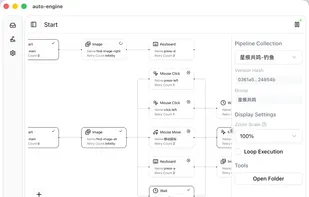
Powerful desktop automation engine that easily defines and executes automation pipelines through YAML configuration files.
Cost / License
- Free
- Proprietary
Platforms
- Mac
- Windows

Auto Engine
Like
Features
- Business Automation
Auto Engine News & Activities
Highlights All activities
Recent activities
- CeerDecy updated Auto Engine
- CeerDecy added Auto Engine
- POX updated Auto Engine
Auto Engine information
No comments or reviews, maybe you want to be first?
What is Auto Engine?
Features
- YAML-Driven - Define complex automation processes through simple YAML files
- Rich Actions - Support for complete desktop operations including keyboard input, mouse clicks, and dragging
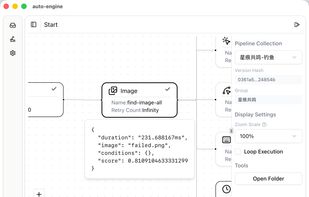
- Smart Recognition - OpenCV-based image recognition technology for precise desktop element positioning
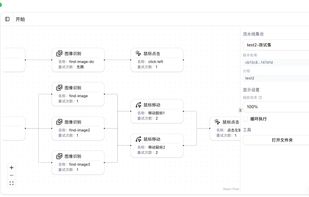
- Pipeline Execution - Each YAML file is an independent pipeline supporting conditional logic and loops
- Cross-Platform - Built on Tauri framework, supporting Windows and macOS
- High Performance - Rust core engine ensures efficient execution
- Secure & Reliable - Memory-safe design reduces runtime errors
Quick Start
Download Application
- Visit the Download page to get the latest version
- Choose the appropriate installation package for your operating system
- Install and launch Auto Engine
Use Pipeline Packages
- Download pre-built pipeline packages from the official resource library (under development, please contact administrator CeerDecy@163.com)
- Import packages into Auto Engine
- Execute automation tasks with one click
Pipeline Packages
Pipeline packages are verified automation processes covering various common scenarios:
Text Processing
- Automatic document organization and renaming
- Batch text replacement operations
- Format conversion tools
Interface Operations
- Automatic data entry
- Batch file uploads
- Application automation
Note: Pre-built pipeline packages are currently supported. Visual editor is coming soon!
Tech Stack
- Core Engine: Rust - High performance, memory safe
- Desktop Framework: Tauri v2 - Lightweight, secure
- Image Processing: OpenCV - Powerful computer vision
- User Interface: React + React Flow - Modern UI