


AudioLava 2
AudioLava is the ideal audio cleaning software for restoring and recording high quality audio from LP or tape to CD. The new version now runs on both Macintosh and Windows PCs and comes with a modern dark theme that appears crystal sharp on retina style displays.

Features
- Audio Recording
- Audio restoration
AudioLava 2 News & Activities
Recent activities

AudioLava 2 information
Developed by
 Acon Digital
 Licensing
Proprietary and Commercial product.Pricing
One time purchase (perpetual license) that costs $30.Alternatives
1 alternatives listedSupported Languages
- English

What is AudioLava 2?
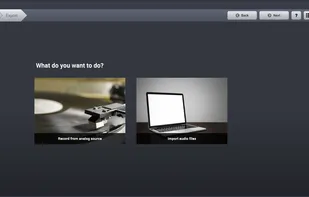
AudioLava is the ideal audio cleaning software for restoring and recording high quality audio from LP or tape to CD. The new version now runs on both Macintosh and Windows PCs and comes with a modern dark theme that appears crystal sharp on retina style displays. The user friendly interface helps to find the best way to bring old recordings back to life and guides the user through all the steps from recording, file import and track splitting to restoration and CD burning.
You can remove noise such as tape hiss, hum or clicks and crackle on LP records as well as improve clipped audio. The algorithms are based on our award winning audio restoration technology, but offers a simplified user interface that makes the restoration process easier.
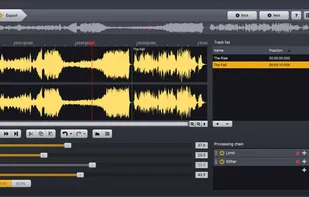
Recordings are automatically split into separate tracks, which can also be edited manually. The large set of integrated tools range from dynamic processing and equalization to highly realistic reverb. Plug-ins in the VST, VST3 and AU (Mac only) formats are supported. Real time processing simplifies fine tuning of the parameter settings. The restored recordings can be burned as audio CDs or saved to audio files on the computer in a variety of formats, including WAV, MP4, MP3, Ogg and FLAC.