


Attach2Dynamics
Like
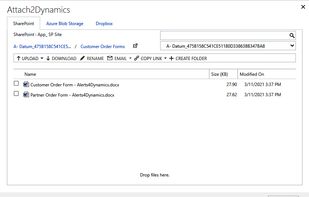
Attach2Dynamics is a document management solution that provides seamless attachment management in multiple cloud storages like SharePoint, Dropbox, and Azure Blob Storage from within Dynamics 365 CRM.
Cost / License
- Subscription
- Proprietary
Platforms
- Online

Features

 Azure integration

Attach2Dynamics News & Activities
Highlights All activities
Recent activities
No activities found.
Attach2Dynamics information
Developed by
 Inogic Tech
 Licensing
Proprietary and Commercial product.Pricing
Subscription that costs $0 per month.Alternatives
1 alternatives listedSupported Languages
- English
AlternativeTo Category
Backup & Sync
No comments or reviews, maybe you want to be first?
What is Attach2Dynamics?
Integrate Dynamics 365 with SharePoint, Dropbox, and Azure Blob Storage for managing documents with Attach2Dynamics. Drag and drop, upload, download, delete and perform many other actions right from within Dynamics 365 in an intuitive and easy-to-use UI. You can also bulk migrate history attachments from within Dynamics 365 CRM with the help of Attach2Dynamics.
Features
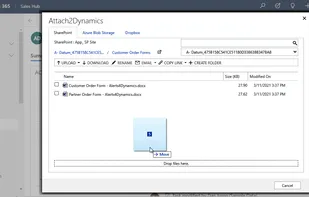
- Drag and Drop: Drag and drop files and folders to Dropbox, SharePoint, and Azure Blob Storage
- File Management: Upload/ Download Dynamics 365 CRM multiple files and a single folder to all three cloud storages
- Create Folders: Create folders on cloud storage from within Dynamics 365 CRM
- Anonymous Link: Generate anonymous link of files and folders to share multiple files/attachments from Dynamics 365 CRM
- Search: Deep Search files in the current and child folders to easily find a specific file
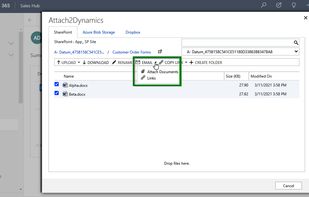
- Email: Directly attach files or link of file(s) from cloud storage to a Dynamics 365 CRM email
- Copy/Move Attachments: Copy/Move Notes, Email, and Sales Literature Attachments to cloud storage systems
- Bulk Move Attachments: Bulk Move history Notes/Email/Sales Literature attachments to cloud storages
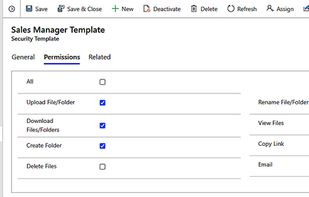
- Access Control of Actions: Supervise user actions on use of various features of Attach2Dynamics such as Upload, Download, Email, etc. with Security Templates
- Delete: Delete unwanted files from all three cloud storages
- View Files: Preview files as per the requirement with a single click without downloading it
- Multiple instances of Cloud Storage: Create multiple instances of the same cloud storage such as SharePoint_1, SharePoint_2, Dropbox_1, Dropbox_2, etc.
- Single Sign-on: Perform all actions in the context of logged-in user
- Open Folder: Open folders present on SharePoint Site directly using Attach2Dynamics UI.