



AllWrite - Notepad & Feed
This is a free note-taking app with many features such as multiple text formats, audio recordings, tagging elements, feed view, cloud backup and more.
Cost / License
- Free
- Proprietary
Platforms
- Android

AllWrite - Notepad & Feed
Features
Properties
- Lightweight
- Privacy focused
Features
- File Tagging
- Cloud Sync
- Support for MarkDown
- Works Offline
- No registration required
- Full-Text Search
- No Tracking
- WYSIWYG Support
- Dark Mode
- Audio Recording
Tags
- notepad
- writers
AllWrite - Notepad & Feed News & Activities
Recent activities
AllWrite - Notepad & Feed information
What is AllWrite - Notepad & Feed?
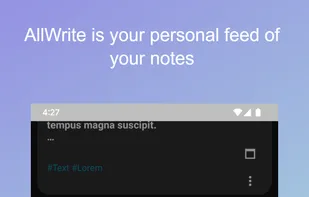
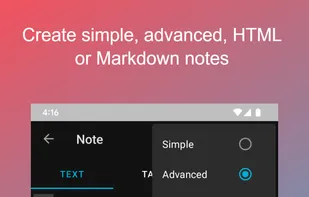
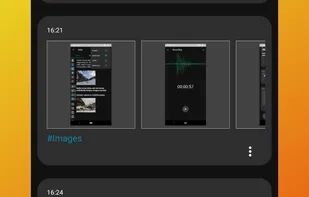
AllWrite is free, fast, convenient, simple and secure application for taking notes, storing and organizing information locally and securely. Here you write down everything you want - your thoughts, ideas, tasks, lists, photos, videos, audio recordings, documents, links, arbitrary files. Text notes can be created using different editors. The application supports plain text, advanced, Markdown and HTML syntax. The text may contain pictures and videos. Entries are organized into a feed sorted by date added. All posts can be tagged. You can add default tags to all post categories. AllWrite supports various search types - by text, date, and tags. The app is well integrated into the smartphone ecosystem, so you can add almost anything to the application feed.
AllWrite takes care of the security, ownership and control of user data. The entrance to the application can be password protected. All entries added by the user are stored only on the phone and are not sent to third-party servers. This is a 100% local application with no back end. You can enable and configure cloud storage so that all data is backed up. You also can enable an additional layer of protection and encrypt all data uploaded to your cloud. The idea behind the app is that your data is 100% under your control.
AllWrite supports backup to Google Drive™ if configured. A folder will be created on the Google Drive drive in the root directory, where the post categories configured in the application will be uploaded. AllWrite uses open and encrypted copy. Encrypted copy means that each entry will be uploaded into a zip archive with a password. If files in a Google Drive drive are modified by an external client, the app will automatically detect, sync, and resolve the conflict for those files.
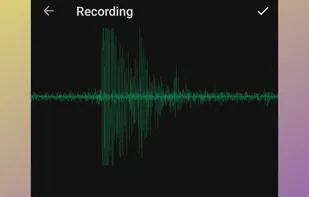
The main categories of added data are: text, audio, photo and video, URL links and arbitrary files. AllWrite supports Markdown and HTML syntax. You can create text containing any resources. Adding images, videos or any other files to text notes is easily supported by the app. The application recognizes the entered links in a simple text note and makes them clickable. If the text entry consists of only a link, the application will download its preview. AllWrite has a built-in voice recorder that allows you to create audio recordings. All audio recordings, any downloaded music files can be organized into a playlist and played using the built-in audio player. If a video or video URL is added, AllWrite launches the internal video player.
AllWrite is a lightweight application with many customization options. You configure the day and night theme, audio playback, voice recorder settings, visual media viewer settings, default web content viewer, default tags, and text editors.
Enjoy using AllWrite!
