


AirMirror
AirMirror is a smartphone remote support and remote control app. You can directly see others’ screens on your Android/iOS devices anywhere and anytime, helping you to find and solve the problem-free from the hassle.

Cost / License
- Freemium (Pay once)
- Proprietary
Platforms
- Android
- iPhone
- iPad


Features
- Remote Support
- Screen Mirroring
AirMirror News & Activities
Recent activities
AirMirror information
Developed by
 AirDroid
 Licensing
Proprietary and Freemium product.Pricing
One time purchase (perpetual license) + free version with limited functionality.Alternatives
3 alternatives listedSupported Languages
- English
- French
- German
- Italian
- Japanese
- Portuguese
- Russian
- Chinese
- Spanish
AlternativeTo Categories
Network & Admin, System & HardwareApple AppStore
- Updated
- 2 avg rating


Featured in Lists
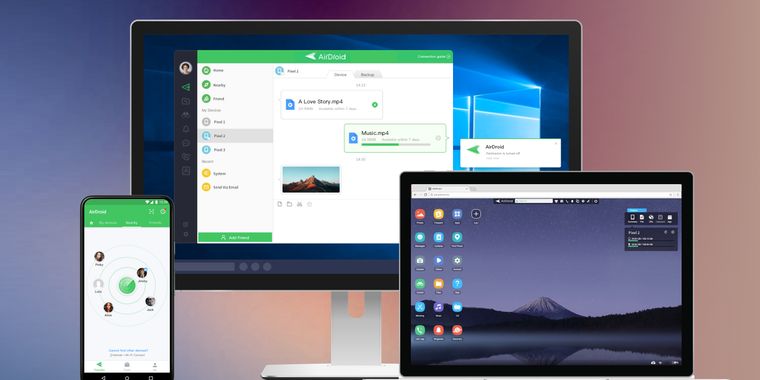
Access & Manage your phone from any computer
What is AirMirror?
Features:
Remote control Directly control another phone or tablet from your phone no matter where the device is. You can do whatever you like on that device and can also help to solve many mobile phone issues for the people in need.
Tutorial gesture Swipe or tap on the shared screen, the tutorial gesture will show on your friend or family’s device. Follow the gesture to easily solve the problem.
Screen sharing in one tap Once the connection succeeded, tap the button to invite your friend or parents to share their screen, and you can directly view their phone's screen in real-time.
Remote camera Access another phone’s view from either the front camera or rear camera. You can put this phone as a family security camera, guarding your family’s safety.
Quick Connection by 9-digit Connection Code You can connect your friend or family simply by their 9-digit Connection Code.
Multiple ways to communicate During the whole remote support process, you can text in the chat box or send voice messages to your family or friend. In addition, you can make a voice call to them to have better communication.
