


AirDroid Cast
AirDroid Cast is a powerful and easy-to-use screen sharing & controlling tool, you can mirror Android and iOS screens to any PC with cast code, USB cable, and AirPlay service. And you can also control Android or iOS from any PC.

Cost / License
- Freemium (Subscription)
- Proprietary
Application type
Platforms
- Mac
- Windows
- Android
- iPhone
- Android Tablet
- iPad


Features
- AirPlay Support
- Remote Cast
- Screen Mirroring
Tags
- castandroidscreentopc
- apowermirror
- remotemeeting
- airserver
- castiphonescreentopc
- googlemeet
- controlipadfromwindows
- controlphonesfrompc
- controliphonefrompc
- playiosgameonpc
- playandroidgameonmac
- castmacscreentowindows
- remotecast
- controliphonefromwindows
- playandroidgameonpc
- gamingstreaming
- productivity
- castaudiotopc
- tiktokonpc
- controlipadfrompc
- onlinepresentation
- mirrorgo
- onlineteaching
- playiosgameonmac
- cloudmeeting
- castipadscreentopc
AirDroid Cast News & Activities
Recent activities
AirDroid Cast information
Developed by
 AirDroid
 Licensing
Proprietary and Freemium product.Pricing
Subscription that costs up to $3 per month + free version with limited functionality.Alternatives
1 alternatives listedSupported Languages
- English
- French
- German
- Italian
- Japanese
- Portuguese
- Russian
- Chinese
- Spanish

Featured in Lists
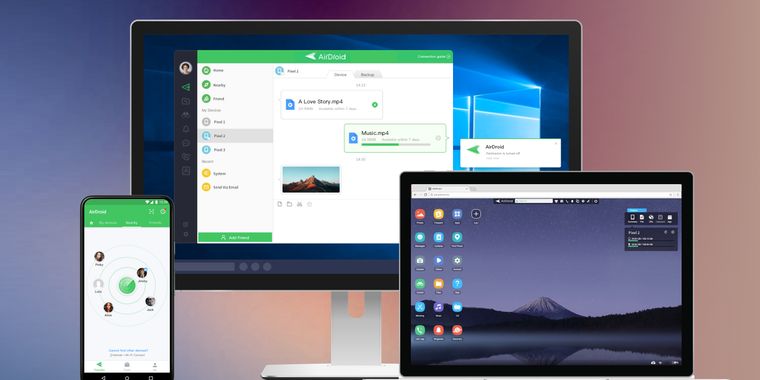
Access & Manage your phone from any computer
What is AirDroid Cast?
AirDroid Cast shares your device screens to a larger display, and even lets you take direct control of these mobile devices on a computer. A perfect tool for both individual and business users to enhance productivity during remote meetings, remote casting, and more.
What can you do with AirDroid Cast?
Remote Meeting When you are on a business trip or working from home, AirDroid Cast can help bridge the communication gap in a remote meeting. By scanning the QR code or entering the Cast Code, the meeting attendees can easily share their screens with the meeting host. Each attendee can directly draw and show his/her idea, using the two-way audio feature to make the communication more effective.
Online Presentation You can nail in-house meetings, training, or product demonstration with AirDroid Cast. It enables you to share your screen to the computer whether the devices are under the same local area network. AirDroid Cast also supports AirPlay, allowing you to share iOS device screens to Windows or Mac computers.
Online Teaching As an instructor, you can turn your Android or iOS device into a handy whiteboard by using AirDroid Cast. You can type down key points or draw the formula right onto your device. In addition, you can get your students' feedback right away using the two-way audio feature.
Game-streaming Share your screen on PC by connecting with cable or WiFi. In this way, your fans can enjoy watching the live game streams. And, AirDroid Cast supports up to 5 devices casting at the same time, your friends can join you and show their skills with you.
Features: Control Android and iOS Device on Computer Multi-screens on One Computer Works with Remote Network Two-way Audio

