Photoshop Alternatives for Mac

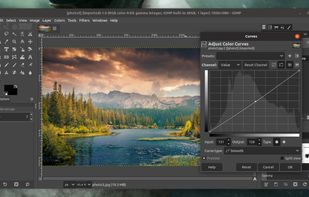
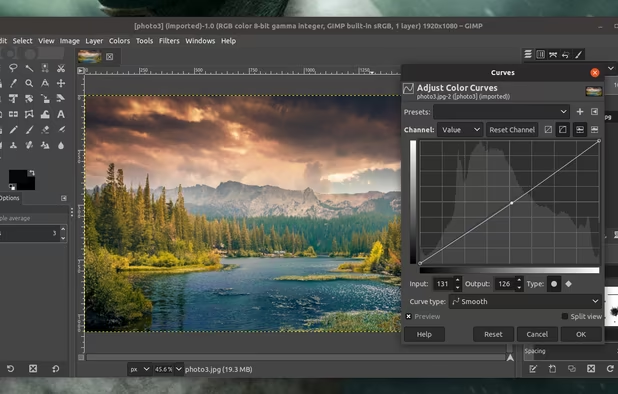
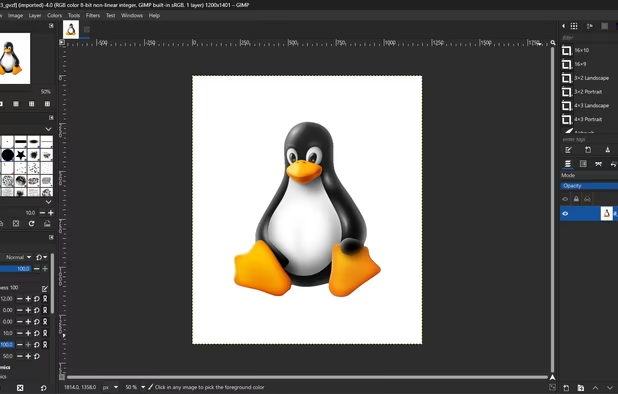
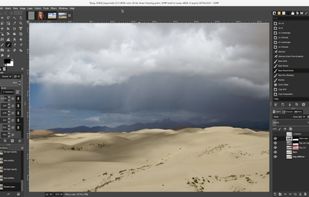
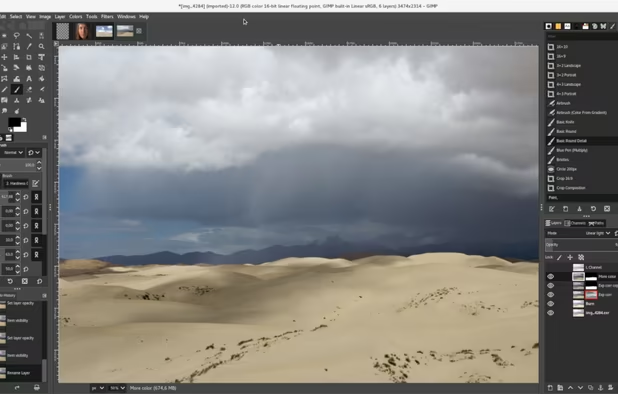
There are many alternatives to Adobe Photoshop for Mac if you are looking for a replacement. The best Mac alternative is GIMP, which is both free and Open Source. If that doesn't suit you, our users have ranked more than 100 alternatives to Adobe Photoshop and loads of them are available for Mac so hopefully you can find a suitable replacement. Other interesting Mac alternatives to Adobe Photoshop are Krita, Pixelmator, Affinity and MyPaint.

filter to find the best alternatives

Adobe Photoshop alternatives are mainly Image Editors, but if you're looking for Photo Editors or Digital Painting Tools you can filter on that. Other popular filters include Open Source, Mac, Online, Windows, Free, Linux and Windows + Free. You can also filter by region, for example EU-based alternatives if you prefer software developed in the European Union. These are just examples - use the filter bar below to find more specific alternatives to Adobe Photoshop.
Copy a direct link to this comment to your clipboard
Adobe Photoshop alternatives page was last updated

Alternatives list

  1. GIMP icon
     4808 likes

    Free open-source suite offering advanced photo retouching, image composition, original artwork creation, batch processing, plugin support, custom scripting, mass image format conversion, and integration with free publishing tools for comprehensive editing solutions.

    215 GIMP alternatives

    Cost / License

    Platforms

    • Mac
    • Windows
    • Linux
    • BSD
    • Snapcraft
    • Flathub
    • PortableApps.com
    • Haiku
    • Flatpak
    • AmigaOS
    • AppImage
     
    |
    113
    GIMP vs Adobe Photoshop Comments
    Top Positive Comment
    Richard
    3

    The newest version of GIMP is a huge improvement and make it more look like PS

    Top Negative Comment
    Marek
    25

    Irritating, totally unintuitive, completely unthought-out interface. It may have a lot of possibilities, but a lifetime is not enough to discover them and understand the twisted logic of this program.

    Zakaria Shalih
    Positive
    0

    it's Linux equivalent of Photoshop

    3 of 113 comments
    • GIMP is Free and Open SourceAdobe Photoshop is Paid and Proprietary
    • GIMP is Customizable, Privacy focused and LightweightAdobe Photoshop is not according to our users
  2. Krita icon
     1483 likes

    Free, open-source painting software designed by artists for artists. Offers customizable UI, 9 brush engines, color management, tablet support, non-destructive editing, and privacy features. Portable and available on major platforms, supporting seamless texture creation.

    155 Krita alternatives

    Cost / License

    • Free
    • Open Source

    Application type

    Platforms

    • Mac
    • Windows
    • Linux
    • Android Tablet
    • KDE Plasma
    • Epic Games Store
    • PortableApps.com
    • F-Droid
    • Steam
    • AppImage
     
    |
    48
    Krita vs Adobe Photoshop Comments
    Top Positive Comment
    Atoshi
    18

    It's kinda more intuitive to use than GIMP (which is a briliant PS alternative too) interface-wise, and supports CMYK out of the box if one needs it. As of version 3.1 it has pretty advanced support for animation, including opacity curves (GIMP fails completely in that field, animathing anything is a major PITA in it)

    Top Negative Comment
    Soul Rain
    38

    photoshop is a photo editing software; krita is a painting and sketching app

    Zakaria Shalih
    Positive
    1

    it's currently my go-to software for drawing digital artworks

    and using Krita did help me switching to Linux easily

    3 of 48 comments
    • Krita is Free and Open SourceAdobe Photoshop is Paid and Proprietary
    • Krita is a Digital Painting Adobe Photoshop is an Image Editor
    • Krita is Lightweight, Customizable and Privacy focusedAdobe Photoshop is not according to our users
  3. Pixelmator icon
     421 likes

    Image editing software for macOS and iOS, offering nondestructive, GPU-powered editing with machine learning features, RAW support, custom brushes, and seamless macOS integration for touch-ups, painting, and creative compositions.

    159 Pixelmator alternatives

    Cost / License

    • Paid
    • Proprietary

    Application types

    Platforms

    • Mac
    • iPhone
    • iPad
     
    |
    5
    Pixelmator vs Adobe Photoshop Comments
    Top Positive Comment
    Dave Cortright
    3

    For the simple editing I do to get photos ready for email and web, Pixelmator is perfect. It can crop (including constrained cropping), resize, and do all the essential color/brightness/contrast/levels tweaks. And the best feature of all, it has a magical healing brush for removing blemishes.

    DalsPhotography
    Positive
    0

    A great program, just got it so I am still trying it, but you have some more tools or kind of different tools than within Photoshop, as you can work with paths without going to lets say , Illustrator.

    Guest
    Positive
    0

    Can accomplish nearly all of the functions of Photoshop, while still being cheaper, and more stable

    3 of 5 comments
    • Pixelmator is Paid and ProprietaryAdobe Photoshop is also Paid and Proprietary
    • Pixelmator is CustomizableAdobe Photoshop is not according to our users
  4. Affinity icon
     87 likes

    Unified design solution merging advanced photo, vector, and layout tools for seamless workflow, non-destructive editing, RAW support, batch processing, AI enhancements, GPU acceleration, file compatibility, cloud asset integration, and tailored workspace options.

    97 Affinity alternatives

    Cost / License

    • Freemium
    • Proprietary

    Platforms

    • Mac
    • Windows
     
    |
    5
    Affinity vs Adobe Photoshop Comments
    Top Positive Comment
    OMGparticles
    1

    Affinity has most of Photoshop's features without the predatory subscription scheme. It includes many of the full Adobe suite's features, combining vector and rasterized graphics editing. The UI is clean, familiar, and easy to understand and customize.

    wayback10
    Positive
    0

    Polished interface, feature-packed and very easy to use.

    kazu
    Positive
    0

    The closest thing to have an actual Photoshop competitor, although Canva has a stinky reputation

    3 of 5 comments
    • Affinity is Freemium and ProprietaryAdobe Photoshop is Paid and Proprietary
  5. MyPaint icon
     396 likes

    MyPaint is a fast, distraction-free, and easy painting tool for digital artists. It supports graphics tablets made by Wacom, and many similar devices.

    139 MyPaint alternatives

    Cost / License

    Application type

    Platforms

    • Mac
    • Windows
    • Linux
    • PortableApps.com
     
    |
    5
    MyPaint vs Adobe Photoshop Comments
    Top Positive Comment
    uhada
    2

    If you're looking for a painting app, MyPaint may be a good alternative to Photoshop. It has infinite canvas, good, natural brushes and overall good tools.

    Top Negative Comment
    Guest
    21

    MyPaint is only a drawing program, but it can't edit images. Adobe Photoshop can do both.

    sedeti
    Negative
    0

    My paint is not a image editor

    3 of 5 comments
    • MyPaint is Free and Open SourceAdobe Photoshop is Paid and Proprietary
    • MyPaint is a Digital Painting Adobe Photoshop is an Image Editor
    • MyPaint is LightweightAdobe Photoshop is not according to our users
  6. Suite featuring tools for vector illustration, image editing, page layout, bitmap tracing to convert bitmaps to vectors, asset browsing, web page creation, screen capture, file compatibility, color management, and professional multi-page document design.

    92 CorelDRAW Graphics Suite alternatives

    Cost / License

    • Paid
    • Proprietary

    Platforms

    • Mac
    • Windows
    • Online
     
    |
    1
    CorelDRAW Graphics Suite vs Adobe Photoshop Comments
    tobylennon
    Positive
    3

    Corel Photo-paint and CorelDraw work very well with Corel Painter and Paint-shop Pro. Pretty much everything is covered, there [High-end full-body textile design must be around the corner.] Everlasting licences also make CorelDraw the clear Winner.

    • CorelDRAW Graphics Suite is Paid and ProprietaryAdobe Photoshop is also Paid and Proprietary
    • CorelDRAW Graphics Suite is a Vector Graphic Adobe Photoshop is an Image Editor
    • CorelDRAW Graphics Suite is CustomizableAdobe Photoshop is not according to our users
  7. Professional software for comic and manga creation, optimized with panel layouts, perspective rulers, sketching, inking, toning, vector support, and 3D model import, suitable for artists seeking advanced drawing and coloring tools.

    107 Clip Studio Paint alternatives

    Cost / License

    • Paid
    • Proprietary

    Platforms

    • Mac
    • Windows
    • Android
    • iPhone
    • Chrome OS
    • Android Tablet
    • iPad
    • Samsung Galaxy Store
     
    |
    3
    Clip Studio Paint vs Adobe Photoshop Comments
    Guest
    Positive
    1

    It has pretty similar tools and the results look just as good as in PS

    Guest
    Positive
    1

    Clip Studio Paint has the best blending tools I've seen so far

    James Hunt
    Positive
    0

    Far better than photoshop for digital painting

    • Clip Studio Paint is Paid and ProprietaryAdobe Photoshop is also Paid and Proprietary
    • Clip Studio Paint is a Digital Painting Adobe Photoshop is an Image Editor
    • Clip Studio Paint is Customizable and LightweightAdobe Photoshop is not according to our users
  8. Photoscape icon
     264 likes

    PhotoScape is a fun and easy photo editing software that enables you to fix and enhance photos.

    201 Photoscape alternatives

    Cost / License

    • Freemium
    • Proprietary

    Application types

    Platforms

    • Mac
    • Windows
     
    |
    4
    Photoscape vs Adobe Photoshop Comments
    DalsPhotography
    Positive
    0

    It's a bit outdated for Mac, but nevertheless it's useful, light weight, and with some funny tools that you can use for daily tasks.

    Guest
    Positive
    1

    I like it because you can merge multiple photos easily.

    Guest
    Positive
    0

    Simple, no layers, but brushes are available. Cheap, light weighted and goes easy on your machine resources. Even as professional I do use Photoscape for a first review of my photos.

    3 of 4 comments
    • Photoscape is Freemium and ProprietaryAdobe Photoshop is Paid and Proprietary
    • Photoscape is LightweightAdobe Photoshop is not according to our users
  9. Polarr icon
     119 likes

    Offers advanced filters, high-precision color and light tools, clarity, dehaze, batch export, watermarking, custom filter creation, touch and mouse access, infinite undo, HSL/RGB curves, blending, and workspace customization for versatile editing needs.

    Cost / License

    • Freemium
    • Proprietary

    Platforms

    • Mac
    • Windows
    • Online
    • Android
    • iPhone
    • Chrome OS
    • Android Tablet
    • iPad
     
    |
    3
    Polarr vs Adobe Photoshop Comments
    kreela
    Positive
    0

    I couldn't find an option for layers.

    Guest
    Negative
    0

    This more like a photo editor, doesn't come close

    Guest
    Positive
    1

    Free version is the most capable offline editor available in Chromebook. Excellent masking tools in paid version.

    • Polarr is Freemium and ProprietaryAdobe Photoshop is Paid and Proprietary
    • Polarr is a Photo Editor Adobe Photoshop is an Image Editor
  10. Luminar Neo icon
     89 likes

    Advanced RAW photo editing software equipped with AI-driven features like GenErase, GenExpand, and GenSwap. Enhances portraits and landscapes using Sky AI and Atmosphere AI. Compatible with Adobe and Apple products, supports multiple formats, and offers panorama stitching, noise reduction, and more.

    110 Luminar Neo alternatives

    Cost / License

    • Paid
    • Proprietary

    Application types

    Platforms

    • Mac
    • Windows
    • Android
    • iPhone
    • Chrome OS
    • iPad
    • Apple Photos
    • Adobe Photoshop
    • visionOS
    • Adobe Lightroom
     
  11. PhotoGIMP icon
     29 likes

    Open-source patch modifies the layout, shortcuts, and workspace of the image editor to resemble Adobe's design, providing custom splash screens, icon, and menus for ease of use, while retaining original features and supporting Windows, Linux, and macOS platforms.

    Cost / License

    Application types

    Platforms

    • Mac
    • Windows
    • Linux
     
    |
    1
    PhotoGIMP vs Adobe Photoshop Comments
    John Gringo
    Positive
    2

    It's a good way for Photoshop users to be able to use GIMP.

    • PhotoGIMP is Free and Open SourceAdobe Photoshop is Paid and Proprietary
    • PhotoGIMP is Privacy focusedAdobe Photoshop is not according to our users
  12. Adobe Elements icon
     84 likes

    Comprehensive photo editing tool with AI-powered automation and easy step-by-step guidance. It includes unique creation tools, layer support, facial recognition, and organizes your photos seamlessly. Available as a one-time purchase, no subscription required, with cloud sync for flexibility.

    164 Adobe Elements alternatives

    Cost / License

    • Paid
    • Proprietary

    Application types

    Platforms

    • Mac
    • Windows
    • Online
    • Android
    • iPhone
     
    |
    1
    Adobe Elements vs Adobe Photoshop Comments
    Bigoukun
    Positive
    1

    It's a lest costly version of PhotoShop, with all the functions most peoples need. So if you absolutly need (or want) PhotoShop and aren't a pro, go for it.

    • Adobe Elements is Paid and ProprietaryAdobe Photoshop is also Paid and Proprietary
12 of 84 Adobe Photoshop alternatives