SelfControl Alternatives for Windows

SelfControl is not available for Windows but there are plenty of alternatives that runs on Windows with similar functionality. The best Windows alternative is Cold Turkey, which is free. If that doesn't suit you, our users have ranked more than 50 alternatives to SelfControl and many of them are available for Windows so hopefully you can find a suitable replacement. Other interesting Windows alternatives to SelfControl are FocusMe, Freedom, DigitalZen and Plucky.

Copy a direct link to this comment to your clipboard
SelfControl alternatives page was last updated

Alternatives list

  1. Cold Turkey icon
     69 likes

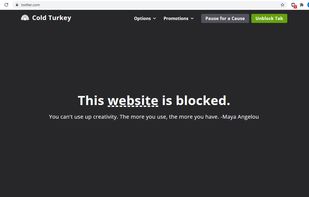
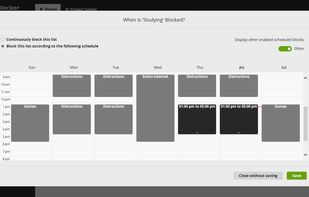
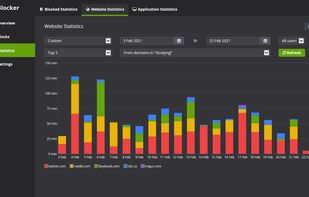
    Boost productivity by blocking websites, games, and applications with Cold Turkey. Once locked, blocks are hard to bypass. Install on Windows, macOS with browser extensions for multiple browsers. One-time purchase includes lifetime updates, ensuring privacy with locally stored data.

    112 Cold Turkey alternatives

    Cost / License

    • Freemium
    • Proprietary

    Platforms

    • Mac
    • Windows
     
    |
    1
    Cold Turkey vs SelfControl Comments
    Guest
    Positive
    0

    because it is good for windows

    Review by a new / low-activity user.
    • Cold Turkey is Freemium and ProprietarySelfControl is Free and Open Source
  2. FocusMe icon
     35 likes

    Block distractions on Windows, Mac, and Android with FocusMe's Blacklist, Whitelist, Time Tracker, Scheduler, Pomodoro Timer, and security features like Password Protection and Forced Mode to boost productivity by customizing user feedback-based settings.

    103 FocusMe alternatives

    Cost / License

    • Paid
    • Proprietary

    Platforms

    • Mac
    • Windows
    • Android
    • Software as a Service (SaaS)
     
    |
    1
    FocusMe vs SelfControl Comments
    Guest
    Negative
    -6

    Can be easily disabled. New update, I have been told by the developer, could change that though. (July 2017)

    Review by a new / low-activity user.
    • FocusMe is Paid and ProprietarySelfControl is Free and Open Source
  3. Freedom icon
     25 likes

    Be incredibly focused and productive. Join millions of amazing people who use Freedom to manage their screen time and live happier, healthier, and more productive lives.

    124 Freedom alternatives

    Cost / License

    • Paid
    • Proprietary

    Platforms

    • Mac
    • Windows
    • Android
    • iPhone
    • Android Tablet
    • iPad
    • Google Chrome
    • Mozilla Firefox
     
    |
    3
    Freedom vs SelfControl Comments
    Guest
    Positive
    0

    Really love it. Only thing they need to add is a whitelist feature.

    Review by a new / low-activity user.
    Guest
    Negative
    -1

    When you ask for alternatives for Windows, you dont wanna hear some apple stuff

    Review by a new / low-activity user.
    Guest
    Negative
    -18

    SelfControl is for Windows, Freedom is not.

    Review by a new / low-activity user.
    • Freedom is Paid and ProprietarySelfControl is Free and Open Source
  4. DigitalZen icon
     94 likes

    Empower your digital habits with app/site blocking, Focus Time whitelisting, and Monk Mode detox. Supports Linux, screen time scheduling, and offers unique strategies for breaks, night restrictions, and balanced digital living. Embrace efficient device interaction on your terms.

    Cost / License

    • Freemium
    • Proprietary

    Platforms

    • Mac
    • Windows
    • Linux
    • Online
    • Microsoft Edge
    • Vivaldi
    • Google Chrome
    • Safari
    • Opera
    • Brave
    • Mozilla Firefox
     
  5. Plucky icon
     42 likes

    Pluckeye is a filter that bolsters self-control on the Internet.

    62 Plucky alternatives

    Cost / License

    • Free Personal
    • Proprietary

    Platforms

    • Mac
    • Windows
    • Linux
    • Android
     
    |
    1
    Plucky vs SelfControl Comments
    Guest
    Positive
    0

    It is difficult to set up so please go to their website and look for "Plucky doc". Here they explain how to set it up. Once set up it's as simple as blocking websites. The delay feature is awesome because it puts a barrier between you and allowing something. For example, if my delay is 45 minutes and I unblock Facebook, it will take 45 minutes for it to open giving me plenty of time to rethink my decision. Longer delay can also be set up. It's an excellent software, if you are willing to set aside a day learning how to use it. A day of hassle saves you from years of trouble. Have an excellent day!

    Review by a new / low-activity user.
    • Plucky is Free Personal and ProprietarySelfControl is Free and Open Source
    • Plucky is Customizable and LightweightSelfControl is not according to our users
  6. BrowseControl icon
     21 likes

    An agent-based web filter that blocks websites based on URLs and categories. Internet use quotas can be set based on schedules and timers. Includes a port filter and Windows application blocker.

    Cost / License

    • Paid
    • Proprietary

    Application type

    Platforms

    • Windows
    • Self-Hosted
     
  7. DailyFocus icon
     2 likes

    A cyberpunk gamified task manager to beat procrastination. Built with Python & CustomTkinter & AI.

    Cost / License

    • Free
    • Open Source (MIT)

    Platforms

    • Windows
     
  8. SprintWork icon
     18 likes

    SprintWork is an effective distraction blocking and time tracking software that can help you get work done on time and recover valuable time lost to social media and games.

    Cost / License

    • Paid
    • Proprietary

    Application type

    Platforms

    • Windows
     
  9. Digital Carrot blocks distracting apps, sites & games until you complete your goals. Completion verified via health trackers, GPS, Todoist, reminders, etc.

    Cost / License

    • Freemium
    • Proprietary

    Platforms

    • Mac
    • Windows
    • Android
    • iPhone
    • Android Tablet
    • iPad
     
  10. Intent icon
     Like

    Designed as an alternative to blocking apps and websites, Intent encourages mindful computer usage by reducing screen vibrancy when using potentially distracting applications. Currently in early access.

    Cost / License

    • Paid
    • Proprietary

    Platforms

    • Windows
     
  11. This extension will call you to order on a recurring basis using 4 different modes adapted to you, so that you does not lose sight of the essential goals of your life.

    Cost / License

    Application type

    Platforms

    • Mac
    • Windows
    • Linux
    • Chrome OS
    • Google Chrome
    • Opera
    • Chromium
     
  12. Stop Procrastinating allows you to block the internet and cut online distraction. It has the highest quality features for the best price with the highest level of Software Quality Assurance.

    Cost / License

    • Paid
    • Proprietary

    Alerts

    • Discontinued

    Platforms

    • Mac
    • Windows
     
12 of 20 SelfControl alternatives