Free Pinta Alternatives for Mac

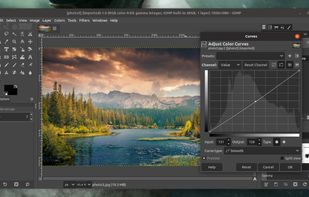
There are many alternatives to Pinta for Mac if you are looking for a replacement. The best free Mac alternative is GIMP, which is also Open Source. If that doesn't suit you, our users have ranked more than 50 alternatives to Pinta and 17 are free and available for Mac so hopefully you can find a suitable replacement. Other interesting free Mac alternatives to Pinta are Krita, MyPaint, FireAlpaca and MediBang Paint.

Copy a direct link to this comment to your clipboard
Pinta alternatives page was last updated

Alternatives list

  1. GIMP icon
     4739 likes

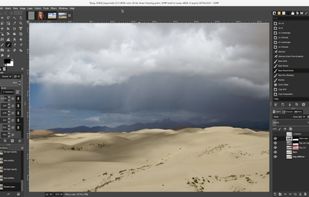
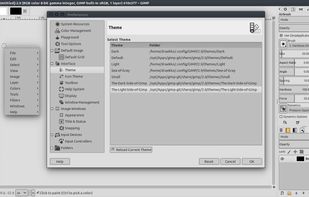
    Free open-source suite offering advanced photo retouching, image composition, original artwork creation, batch processing, plugin support, custom scripting, mass image format conversion, and integration with free publishing tools for comprehensive editing solutions.

    188 GIMP alternatives

    Cost / License

    Platforms

    • Mac
    • Windows
    • Linux
    • BSD
    • Snapcraft
    • Flathub
    • PortableApps.com
    • Haiku
    • Flatpak
    • AmigaOS
    • AppImage
     
    |
    1
    GIMP vs Pinta Comments
    Guest
    Positive
    0

    GIMP is a very well featured image editor for both simple and complex editing. It can be pretty hard to starters to get used to simple tasks but it's worth trying.

    Review by a new / low-activity user.
    • GIMP is Free and Open SourcePinta is also Free and Open Source
    • GIMP is CustomizablePinta is not according to our users
  2. Krita icon
     1421 likes

    Free, open-source painting software designed by artists for artists. Offers customizable UI, 9 brush engines, color management, tablet support, non-destructive editing, and privacy features. Portable and available on major platforms, supporting seamless texture creation.

    143 Krita alternatives

    Cost / License

    • Free
    • Open Source

    Application type

    Platforms

    • Mac
    • Windows
    • Linux
    • Android Tablet
    • KDE Plasma
    • Epic Games Store
    • PortableApps.com
    • F-Droid
    • Steam
    • AppImage
     
    |
    1
    Krita vs Pinta Comments
    KennethWilhelmsson
    Positive
    0

    Crashes regularly, not helping.

    • Krita is Free and Open SourcePinta is also Free and Open Source
    • Krita is CustomizablePinta is not according to our users
  3. MyPaint icon
     389 likes

    MyPaint is a fast, distraction-free, and easy painting tool for digital artists. It supports graphics tablets made by Wacom, and many similar devices.

    129 MyPaint alternatives

    Cost / License

    Application type

    Platforms

    • Mac
    • Windows
    • Linux
    • PortableApps.com
     
  4. FireAlpaca icon
     90 likes

    FireAlpaca is the image editor that can be used readily and easily. We made it possible to provide the completely free download, in order for our products to be experienced by more users from all over the world. It is available for both Mac and Windows users!

    123 FireAlpaca alternatives

    Cost / License

    • Free
    • Proprietary

    Platforms

    • Mac
    • Windows
    • Linux
     
    |
    1
    FireAlpaca vs Pinta Comments
    Guest
    Positive
    0

    good tools , pen (fade in/out) mirror tool brush edit not too many photo edit tools

    Review by a new / low-activity user.
    • FireAlpaca is Free and ProprietaryPinta is Free and Open Source
  5. Fotor icon
     61 likes

    Comprehensive online editor offering filters, frames, text, stickers, collage creation, graphic design, templates for social media, batch editing, photo retouching, mobile and desktop access, regular updates, and direct sharing to social channels.

    191 Fotor alternatives

    Cost / License

    • Freemium
    • Proprietary

    Application types

    Platforms

    • Mac
    • Windows
    • Online
    • Android
    • iPhone
     
  6. Pixelitor icon
     27 likes

    Open source image editor with non-destructive editing, 110+ filters, adjustment and text layers, support for smart objects and adjustment layers, cross-platform compatibility, and layer-based editing for flexible image composition.

    113 Pixelitor alternatives

    Cost / License

    Platforms

    • Mac
    • Windows
    • Linux
     
  7. Tux Paint icon
     23 likes

    Tux Paint is a free, award-winning drawing program for children ages 3 to 12 (for example, preschool and K-6). Tux Paint is used in schools around the world as a computer literacy drawing activity. It combines an easy-to-use interface, fun sound effects, and an encouraging...

    40 Tux Paint alternatives

    Cost / License

    • Free
    • Open Source

    Application type

    Platforms

    • Mac
    • Windows
    • Linux
    • Android
    • BSD
    • Haiku
     
  8. AliveColors icon
     3 likes

    AliveColors is comprehensive graphics and photo editing software for Windows and Mac. It comes in Free, Home, and Pro versions, with differing levels of functionality.

    Cost / License

    • Freemium
    • Proprietary

    Platforms

    • Mac
    • Windows
    • Linux
     
  9. PixelStyle icon
     10 likes

    PixelStyle Photo Editor for Mac is an all-in-one photo editing and graphic design software, providing professional high-quality photo processing tools to edit the photos, enhance and touch up photos on Mac OS X.

    Cost / License

    • Freemium
    • Proprietary

    Application types

    Platforms

    • Mac
     
  10. DrawPad icon
     4 likes

    DrawPad Graphic Design and Drawing software is an easy-to-use image composition and manipulation program, an essential tool for all types of graphic design projects. Easily draw and create graphic images.

    Cost / License

    • Freemium
    • Proprietary

    Platforms

    • Mac
    • Windows
     
12 of 17 Pinta alternatives