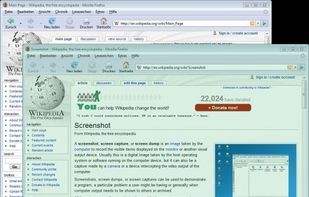
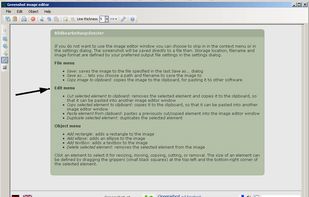
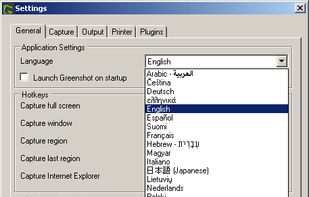
Lightweight screenshot tool offering OCR, exports to Office apps and online storage, integration with external commands, supporting 32 languages and minimal space requirement.


There are many alternatives to Paparazzi! for Mac if you are looking for a replacement. The best Mac alternative is Greenshot, which is both free and Open Source. If that doesn't suit you, our users have ranked more than 25 alternatives to Paparazzi! and 14 are available for Mac so hopefully you can find a suitable replacement. Other interesting Mac alternatives to Paparazzi! are Awesome Screenshot, Trickle, GoFullPage and WebSnapperPro.
Lightweight screenshot tool offering OCR, exports to Office apps and online storage, integration with external commands, supporting 32 languages and minimal space requirement.


Capture the whole page or any portion, annotate it with rectangles, circles, arrows, lines and text, one-click upload to share.


Trickle helps you summarize and organize screenshots, extracting insights for easy search and query. Transform visual chaos into an intelligent archive, allowing you to screenshot anything and effortlessly retrieve and utilize its contents later.


The simplest way to take a full page screenshot of your current browser window. Click on the extension icon (or press Alt+Shift+P), watch the extension capture each part of the page, and be transported to a new tab of your screenshot where you can download it as an image or PDF...


WebSnapperPro (formerly known as Red Snapper) lets you capture web pages - exactly as they appear in your browser. You can send them to a file, as images or vector-based, multi-page PDFs. It captures the whole web page - eliminating the need to cut, paste and crop multiple...

WebKut is an AIR application that allows you to capture web pages, or parts of them in a very simple way. It provides you 3 capture options: the entire page, the current view, or only a selection.


A macOS app for capturing, annotating and sharing screenshots. Quickly add comments, highlight what matters or blur any sensitive content. Upload screenshots to Google Drive or Dropbox. Copy screenshots to the clipboard and paste them directly into Slack, Skype, Jira, Trello and...


Right click on any web page, frame or iframe, click "Save Page As Image..." and then resize the selection around the piece you want to save.


Lightning fast and ultra elegant screenshot and annotation tool that does all you need without the bloat. Made for Mac and Windows.


Zappy is a macOS screen capture tool made for internal use by Zapier and released free for all. It's built for speed and provides the perfect set of features for remote teams to work with screenshots and GIF recordings quickly and effectively.