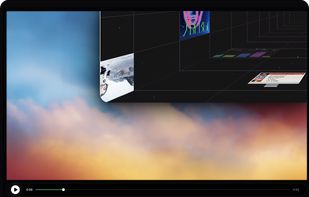
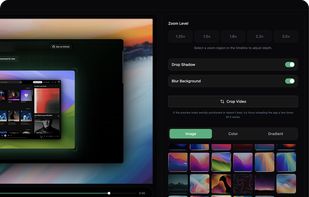
Open-source, no-cost screen recorder with no watermarks, supporting entire screen or app capture, manual zoom, smooth pan, custom backgrounds, cropping, motion blur, and direct use in browser for product demos, tutorials, and commercial purposes.


FastStone Capture is not available for Linux but there are plenty of alternatives that runs on Linux with similar functionality. The best Linux alternative is OpenScreen, which is both free and Open Source. If that doesn't suit you, our users have ranked more than 100 alternatives to FastStone Capture and many of them are available for Linux so hopefully you can find a suitable replacement. Other interesting Linux alternatives to FastStone Capture are Recordly, VokoscreenNG, Spectacle and Snipaste.


Open-source, no-cost screen recorder with no watermarks, supporting entire screen or app capture, manual zoom, smooth pan, custom backgrounds, cropping, motion blur, and direct use in browser for product demos, tutorials, and commercial purposes.


Free open-source screen recorder for macOS and Windows featuring auto-zoom, smooth cursor animations, MP4 and GIF export, timeline trimming, speed changes, annotations, frame styling options, advanced audio capture, and substantial OpenScreen modifications.


VokoscreenNG is a user friendly screencaster for Linux and Windows. It is a continuation of the now discontinued Vokoscreen project that has been totally rewritten from scratch using Qt and GStreamer.


Spectacle is a simple application for capturing desktop screenshots. It can capture images of the entire desktop, a single monitor, the currently active window, the window currently under the mouse, or a rectangular region of the screen.

Snipaste is a simple but powerful snipping tool, and also allows you to pin the screenshot back onto the screen. Snip. Then paste. Free. Customizable. Portable.


Web Clipper that works! The easiest way to clip text, pics, links, email and pdf from internet pages and save them.


Hotshots is a screenshot tool with some editing features. It is particularly suitable for writing documentation (as used in the following chapters) but you can use it to highlight some details on a map image or what ever you want.


An open source multi-platform screen capture and recording tool for simple "capture / annotate / share" workflow. Ginj was inspired by Jing (now discontinued), but although there are similarities in the way both tools behave, Ginj is not Jing.


Vaam, video as a message, lets users create and access a shareable video in seconds, with the click of a button. It's a fun and beautiful experience where every company can have their own branding.


Swappy is a Wayland screenshot editing tool featuring brushes, text, shapes, arrows, and blur. Images can be saved locally or copied directly to the clipboard.