Free Snagit Alternatives for Mac

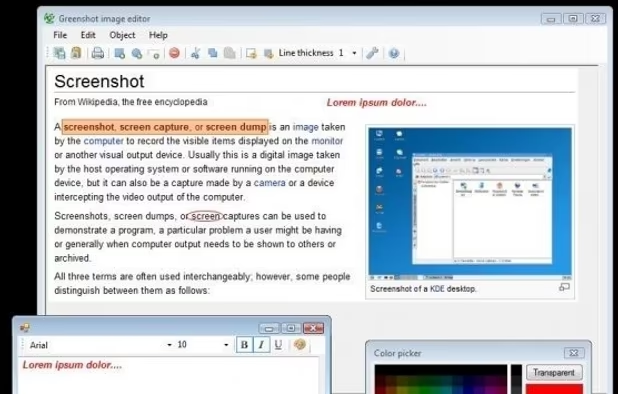
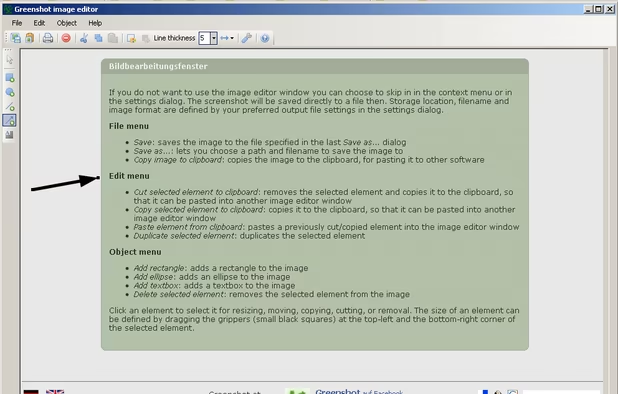
There are many alternatives to Snagit for Mac if you are looking for a replacement. The best free Mac alternative is Greenshot, which is also Open Source. If that doesn't suit you, our users have ranked more than 100 alternatives to Snagit and loads of them are free and available for Mac so hopefully you can find a suitable replacement. Other interesting free Mac alternatives to Snagit are Flameshot, Ksnip, Lightshot and NormCap.

Copy a direct link to this comment to your clipboard
Snagit alternatives page was last updated

Alternatives list

  1. Greenshot icon
     727 likes

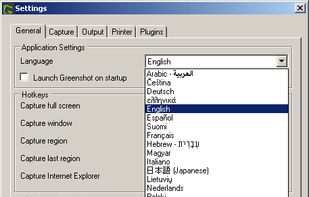
    Lightweight screenshot tool offering OCR, exports to Office apps and online storage, integration with external commands, supporting 32 languages and minimal space requirement.

    Cost / License

    Application type

    Platforms

    • Mac
    • Windows
     
    |
    7
    Greenshot vs Snagit Comments
    Top Positive Comment
    Guest
    4

    The OCR functionality is very useful and the annotation and markup tools are plentiful and easy to use; very small learning curve for a powerful tool.

    Top Negative Comment
    Guest
    -1

    Doesn't come near the ease and functionalities of what Snagit has. On the plus side, it is free.

    Guest
    Negative
    -5

    Greenshot does not even come near Snagit. Very low usability. NOT intuive and the tools are on such a low level-I can`t even describe.

    3 of 7 comments
    • Greenshot is Freemium and Open SourceSnagit is Paid and Proprietary
    • Greenshot is Lightweight and CustomizableSnagit is not according to our users
  2. Flameshot icon
     274 likes

    Flameshot is a free, open-source screenshot tool that is cross-platform compatible, offering customization, editing features, CLI scripting, and direct Imgur uploads for seamless sharing. It provides an intuitive user experience through features like area selection, annotations, and saving options.

    Cost / License

    Application type

    Platforms

    • Mac
    • Windows
    • Linux
    • Flathub
    • Snapcraft
     
    |
    3
    Flameshot vs Snagit Comments
    sentakushi
    Negative
    0

    Snagit stores the screenshots in their "native" format in its own gallery: the image and the annotations/editions (texts, arrows…). It is very handy when your workflow is to edit the modifications after the fact (ex: correcting the text). Flameshot only allows you to annotate the screenshot just after you took it, once it is exported to a standard image (JPG, PNG…) you cannot edit it any more. Also, Snagit allows to record screencasts. Flameshot feels really light and is free software.

    bartonski
    Positive
    1

    If you're looking to make "8x10 glossy photograph with the circles and arrows and a paragraph on the back of each", it can't be beat. Lightweight, does its job, gets out of the way quick.

    jgorell
    Negative
    0

    Flameshot is not an option until the project owner corrects the kde-frameworks dependency. https://github.com/flameshot-org/flameshot/issues/3119

    • Flameshot is Free and Open SourceSnagit is Paid and Proprietary
    • Flameshot is Lightweight and CustomizableSnagit is not according to our users
  3. Ksnip icon
     69 likes

    Ksnip is a Qt based cross-platform screenshot tool that provides many annotation features for your screenshots.

    Cost / License

    Application type

    Platforms

    • Mac
    • Windows
    • Linux
    • Snapcraft
    • Flathub
     
    |
    1
    Ksnip vs Snagit Comments
    Guest
    Positive
    0

    It is not as powerful as snagit, but the most common features it has - for me a perfect fit.

    • Ksnip is Free and Open SourceSnagit is Paid and Proprietary
    • Ksnip is Lightweight and CustomizableSnagit is not according to our users
  4. Lightshot icon
     211 likes

    Captures selectable screen regions for Windows and Mac, offers instant uploading, quick editing, and sharing through short URLs, supports saving locally, annotating, clipboard copying, browser add-ons, upload history access, and operates without heavy system use.

    Cost / License

    • Free
    • Proprietary

    Application type

    Alerts

    • Warning
    • Bundleware
    • Discontinued

    Platforms

    • Mac
    • Windows
    • Google Chrome
    • Wine
    • Mozilla Firefox
     
    |
    1
    Warning

    The Lightshot app generates URLs that are easy to guess or scrape, making it alarmingly easy for anyone to view grabs of private messages or intimate photos.

    Bundleware

    Offers to install Russian software Yandex Alisa, Yandex Browser and other products from Yandex company.

    Discontinued

    The latest update is from July 2024.

    Lightshot vs Snagit Comments
    Guest
    Positive
    1

    Quick and very easy to use interface. Highly recommended.

    • Lightshot is Free and ProprietarySnagit is Paid and Proprietary
    • Lightshot is LightweightSnagit is not according to our users
  5. NormCap icon
     26 likes

    OCR powered screen-capture tool to capture information instead of images.

    Cost / License

    • Free
    • Open Source

    Application type

    Platforms

    • Mac
    • Windows
    • Linux
     
  6. macshot icon
     15 likes

    Feature-packed native macOS screenshot tool — annotate, auto-redact PII, record GIFs, OCR + translate, scroll capture, beautify, and more. No Electron, no subscription.

    Cost / License

    Platforms

    • Mac
    • Homebrew
     
  7. Shottr icon
     28 likes

    Shottr is a compact screenshot app designed for pixel precision and optimized for macOS Silicon devices.

    Cost / License

    • Freemium
    • Proprietary

    Application type

    Platforms

    • Mac
     
  8. CamScanner icon
     73 likes

    Your portable scanner. Use your camera to get high quality scans of paper documents, receipts, notes and more. Anytime, anywhere.

    Cost / License

    • Freemium
    • Proprietary

    Platforms

    • Mac
    • Windows
    • Online
    • Android
    • iPhone
    • Android Tablet
    • iPad
     
  9. Snipaste icon
     32 likes

    Snipaste is a simple but powerful snipping tool, and also allows you to pin the screenshot back onto the screen. Snip. Then paste. Free. Customizable. Portable.

    Cost / License

    • Freemium
    • Proprietary

    Application type

    Platforms

    • Mac
    • Windows
    • Linux
     
  10. Pixsnip icon
     7 likes

    Privacy-focused screenshot utility with local-only storage, capture and post-editing, precision tools like rulers and color picker, grouping, collage and card creation, full history, an intuitive interface, and no cloud or login required for secure offline workflows.

    Cost / License

    • Free
    • Proprietary

    Application type

    Platforms

    • Mac
    • Windows
     
  11. PrintScreen.ly is a desktop-first screenshot and screen recording app for macOS and Windows with a synchronized web dashboard. Capture region, window, fullscreen, or entire scrolling pages with pixel precision.

    Cost / License

    • Freemium
    • Proprietary

    Platforms

    • Mac
    • Windows
    • Linux
    • Online
     
  12. AutoShot icon
     3 likes

    Tired of manually taking screenshots to document your work or track progress? Meet AutoShot, a macOS app that automatically captures screenshots at set intervals so you can focus on your work.

    Cost / License

    • Free
    • Proprietary

    Platforms

    • Mac
     
12 of 56 Snagit alternatives