


ScreenCloud
20 likes
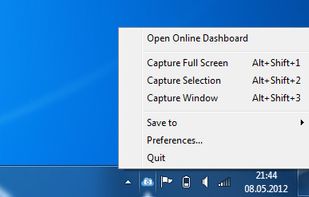
ScreenCloud is an easy to use screenshot sharing application. Take a screenshot using one of the 3 hotkeys or simply click the ScreenCloud tray icon. You can choose where you want to save your screenshot.

Platforms
- Mac
- Windows
- Linux
- Online

Discontinued
Last commit and version is from October 2020

Features
Highlights All activities
ScreenCloud News & Activities
Recent activities
 AppoxiDev added ScreenCloud as alternative to Cropy.it
 screentinker added ScreenCloud as alternative to ScreenTinker
 Mohammad Hadizadeh added ScreenCloud as alternative to SnapKeep
 Paul added ScreenCloud as alternative to macshot
 Paul added ScreenCloud as alternative to Scap
 Paul added ScreenCloud as alternative to EasyCapture Pro
 Paul added ScreenCloud as alternative to Capty


Developed by
Olav S ThoresenLicensing
Open Source (GPL-2.0) and Free product.Written in
Alternatives
58 alternatives listedBadge
Get an embeddable badge for ScreenCloudSupported Languages

AlternativeTo Category
Photos & GraphicsGitHub repository
- 645 Stars
- 112 Forks
- 1 Open Issues
- Updated


No comments or reviews, maybe you want to be first?