Moom Alternatives for Mac

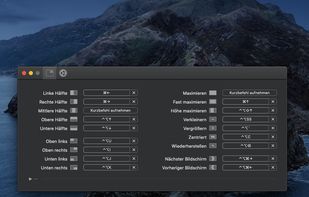
There are many alternatives to Moom for Mac if you are looking for a replacement. The best Mac alternative is Rectangle, which is both free and Open Source. If that doesn't suit you, our users have ranked more than 50 alternatives to Moom and loads of them are available for Mac so hopefully you can find a suitable replacement. Other interesting Mac alternatives to Moom are BetterTouchTool, Loop - Window Management, SnapZones and Spencer for Mac.

Copy a direct link to this comment to your clipboard
Moom alternatives page was last updated

Alternatives list

  1. Rectangle icon
     101 likes

    Move and resize windows on macOS with keyboard shortcuts. Rectangle is a window management app based on Spectacle Wndow Manager, written in Swift (programming language).

    80 Rectangle alternatives

    Cost / License

    • Freemium
    • Open Source

    Application type

    Platforms

    • Mac
     
    |
    1
    Rectangle vs Moom Comments
    RemovedUser
    Positive
    0

    Simple, it has a great keyboard shortcuts system, works really well, and it's free!

    Review by a new / low-activity user.
    • Rectangle is Freemium and Open SourceMoom is Paid and Proprietary
    • Rectangle is Lightweight and Privacy focusedMoom is not according to our users
  2. BetterTouchTool icon
     107 likes

    BetterTouchTool is a great, feature packed app that allows you to configure many gestures for your Magic Mouse (1 & 2), Macbook Trackpad and Magic Trackpad (1 & 2) and also Mouse Gestures for normal mice.

    77 BetterTouchTool alternatives

    Cost / License

    • Paid
    • Proprietary

    Application type

    Platforms

    • Mac
     
    |
    1
    BetterTouchTool vs Moom Comments
    Guest
    Negative
    1

    BetterTouchTool is a gesture tool

    Review by a new / low-activity user.
    • BetterTouchTool is Paid and ProprietaryMoom is also Paid and Proprietary
    • BetterTouchTool is LightweightMoom is not according to our users
  3. Loop is a macOS app that simplifies window management for you! You can effortlessly choose your window direction using a radial menu triggered by a simple key press, and customize it according to your preferences with personalized colors and settings.

    Cost / License

    Application type

    Platforms

    • Mac
     
  4. SnapZones icon
     9 likes

    Organize windows with ease using SnapZones. Enjoy magnetic snapping, predefined and custom layouts, multiple display configuration, and seamless transitioning between workspaces. SnapZones auto-starts at login, ensuring streamlined productivity for macOS users in any environment.

    59 SnapZones alternatives

    Cost / License

    • Paid
    • Proprietary

    Application type

    Platforms

    • Mac
     
  5. Customize your workspace with profiles for any context or task — whether you’re working, browsing, or creating. Easily return to your favorite window setup anytime.

    Cost / License

    • Paid
    • Proprietary

    Application type

    Platforms

    • Mac
     
  6. MacsyZones icon
     5 likes

    Customize layouts and sections for organizing windows into defined zones on macOS, easily snap and rearrange application windows, support multitasking needs, reduce desktop clutter, and enhance work efficiency for users managing multiple windows.

    Cost / License

    Application type

    Platforms

    • Mac
     
  7. WindowKeys icon
     4 likes

    Access all native macOS window tiling commands in one place — the Tiling Panel. Customize keyboard shortcuts and use them on any keyboard, even third-party ones.

    55 WindowKeys alternatives

    Cost / License

    • Free
    • Proprietary

    Application type

    Platforms

    • Mac
     
  8. Griddle icon
     2 likes

    A native macOS menu bar app that provides quick window tiling with keyboard shortcuts and visual grid overlay. Just press QWE, ASD to tile your windows instantly. DRM-free, one-time purchase for all your Macs.

    Cost / License

    • Paid
    • Proprietary

    Application type

    Platforms

    • Mac
     
  9. MacTiler icon
     1 like

    Split screen and organize windows on Mac with keyboard shortcuts, drag-and-drop zones, and professional layouts. Better than native Split View. Multi-monitor support.

    Cost / License

    • Paid
    • Proprietary

    Application type

    Platforms

    • Mac
     
  10. Divvy icon
     65 likes

    Divvy is an entirely new way of managing your workspace. It allows you to quickly and efficiently "divvy up" your screen into exact portions.

    94 Divvy alternatives

    Cost / License

    • Paid
    • Proprietary

    Application type

    Alerts

    • Discontinued

    Platforms

    • Mac
    • Windows
     
  11. Amethyst icon
     21 likes

    Amethyst is a tiling window manager for Mac similar to the xmonad tiling window manager popular on Linux. Amethyst is written in Objective-C and has configurable shortcuts, multi-monitor support, multiple layouts, and the option to float certain applications.

    106 Amethyst alternatives

    Cost / License

    • Free
    • Open Source (MIT)

    Application type

    Platforms

    • Mac
     
  12. Shiftit icon
     67 likes

    ShiftIt is an application for OSX that allows you to quickly manipulate window position and size using keyboard shortcuts. It intends to become a full featured window organizer for OSX. It is a complete rewrite of the original ShiftIt by Aravindkumar Rajendiran which is not...

    78 Shiftit alternatives

    Cost / License

    • Free
    • Open Source

    Application type

    Alerts

    • Discontinued

    Platforms

    • Mac
     
12 of 57 Moom alternatives