Listary Alternatives for Mac

Listary is not available for Mac but there are plenty of alternatives that runs on macOS with similar functionality. The best Mac alternative is Alfred, which is free. If that doesn't suit you, our users have ranked more than 100 alternatives to Listary and many of them are available for Mac so hopefully you can find a suitable replacement. Other interesting Mac alternatives to Listary are Wox Launcher, DocFetcher, ueli and Cerebro.

Copy a direct link to this comment to your clipboard
Listary alternatives page was last updated

Alternatives list

  1. Alfred icon
     304 likes

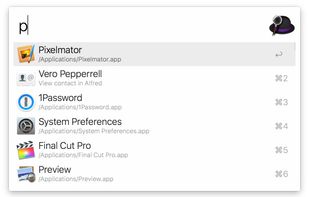
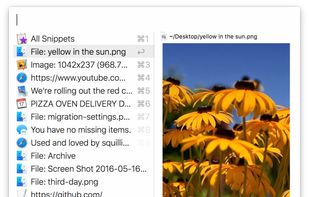
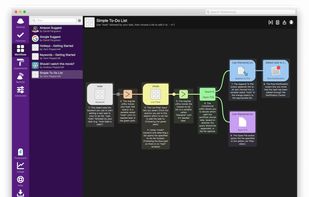
    Alfred is a productivity application for macOS, which boosts your efficiency with hotkeys, keywords and text expansion. Search your Mac and the web, and control your Mac using custom actions with the Powerpack.

    139 Alfred alternatives

    Cost / License

    • Freemium
    • Proprietary

    Platforms

    • Mac
    • iPhone
    • iPad
     
  2. DocFetcher icon
     129 likes

    DocFetcher is an Open Source desktop search application: It allows you to search the contents of files on your computer. — You can think of it as Google for your local files. The application runs on Windows, Linux and macOS, and is made available under the Eclipse Public License.

    128 DocFetcher alternatives

    Cost / License

    Application type

    Platforms

    • Mac
    • Windows
    • Linux
     
  3. ueli icon
     73 likes

    Developed with the Electron framework, ueli is the type of tool that adopts simplicity, leaving out any unnecessary options and configuration settings. It creates an icon in the system tray at startup, where it sits silently throughout its runtime, without disturbing you with...

    85 ueli alternatives

    Cost / License

    • Free
    • Open Source (MIT)

    Platforms

    • Mac
    • Windows
    • Linux
     
  4. Cerebro icon
     59 likes

    Cerebro is an open source and free electron-based productivity software alternative to Alfred and Spotlight. It is focused on speed and good UI and UX. In most cases you don't even need to open another application, because you can see results right in Cerebro, like google...

    65 Cerebro alternatives

    Cost / License

    • Free
    • Open Source (MIT)

    Platforms

    • Mac
    • Windows
    • Linux
     
  5. Quickly fuzzy search system, hidden, or dotfiles using keyboard navigation, then preview, copy paths, batch rename, or run custom scripts. Supports exclusion rules, minimal UI, Quick Filters, and power user features for efficient macOS file management.

    Cost / License

    Application type

    Platforms

    • Mac
     
  6. AI-powered assistant centralizing all data by searching files, folders, and cloud apps, creating custom automations, interacting with emails, calendars, and web, offering document summarization, organization, and content generation tools.

    Cost / License

    • Freemium
    • Proprietary

    Platforms

    • Mac
    • Windows
    • Linux
     
  7. DeepPeek icon
     6 likes

    Seek, peek, and preview to find your work instantly — even if it's buried in folders, or you've lost track of it over the months.

    52 DeepPeek alternatives

    Cost / License

    • Paid
    • Proprietary

    Application type

    Platforms

    • Mac
     
  8. LaunchBar icon
     46 likes

    LaunchBar is a smart and powerful, keyboard driven productivity utility that lets you access and control every aspect of your digital life. Whatever you want to get done on your Mac – with LaunchBar it’s only a few keystrokes away.

    Cost / License

    • Freemium
    • Proprietary

    Application type

    Platforms

    • Mac
     
  9. Tuna icon
     5 likes

    Modern macOS launcher with native Swift implementation, offering Fuzzy, Leader, Text, and Talk modes, modal interface, extension support, no subscription required, free version with soft limits, and one-time unlock for full features for customizable workflow.

    51 Tuna alternatives

    Cost / License

    • Free
    • Proprietary

    Platforms

    • Mac
     
  10. Quick macOS file searching with substring, prefix, suffix, exact, and path-mixed patterns, case-sensitive or regex search modes, instant language switching, keyboard shortcuts, Quick Look previews, Finder integration, clipboard copy, and open-source code.

    Cost / License

    • Free
    • Open Source (MIT)

    Application type

    Platforms

    • Mac
     
12 of 34 Listary alternatives