Image Resizer for Windows Alternatives for Mac

Image Resizer for Windows is not available for Mac but there are plenty of alternatives that runs on macOS with similar functionality. The best Mac alternative is Caesium Image Compressor, which is both free and Open Source. If that doesn't suit you, our users have ranked more than 50 alternatives to Image Resizer for Windows and 11 are available for Mac so hopefully you can find a suitable replacement. Other interesting Mac alternatives to Image Resizer for Windows are XnConvert, Filestar, Fast Image Resizer and Photo Size Optimizer.

Copy a direct link to this comment to your clipboard
Image Resizer for Windows alternatives page was last updated

Alternatives list

  1. Copy a direct link to this comment to your clipboard

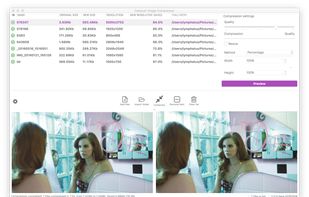
    Caesium Image Compressor lets you compress your pictures up to 90% without visible quality loss. Providing a simple yet effective interface with a real-time preview and multiple image processing at the same time, everyone will be able to reach the best result.

    128 Caesium Image Compressor alternatives

    Cost / License

    • Free
    • Open Source

    Platforms

    • Mac
    • Windows
    • Linux
    • Online
     
    • Caesium Image Compressor is the most popular Web-based, Windows, Mac & Linux alternative to Image Resizer for Windows.

    • Caesium Image Compressor is Free and Open SourceImage Resizer for Windows is also Free and Open Source
    • Caesium Image Compressor is LightweightImage Resizer for Windows is not according to our users
  2. Filestar icon
     16 likes
    Copy a direct link to this comment to your clipboard

    With Filestar you can "do anything with any file". Get rid of repetitive tasks, save time and boost your productivity with over 30.000 file conversions available. Transform or convert hundreds of files, all at the same time with a few simple clicks.

    Cost / License

    • Free Personal
    • Proprietary

    Platforms

    • Mac
    • Windows
     
  3. Copy a direct link to this comment to your clipboard

    adionSoft Fast Image Resizer is a small tool to quickly resize a batch of pictures.

    Cost / License

    • Free
    • Proprietary

    Alerts

    • Discontinued

    Platforms

    • Mac
    • Windows
     
  4. Copy a direct link to this comment to your clipboard

    A powerful photo resizer and optimizer for Mac, allows you to optimize all your photos by 80% ~ 20% comparing to their originals while keeping their original resolution, quality.

    Cost / License

    • Freemium
    • Proprietary

    Platforms

    • Mac
     
  5. Copy a direct link to this comment to your clipboard

    Squash is a simple, powerful app for compressing and converting images for the web and more. Simply drop an image into Squash and it reduces the filesize while maintaining its quality.

    Cost / License

    • Pay once
    • Proprietary

    Application type

    Platforms

    • Mac
     
  6. iResize icon
     1 like
    Copy a direct link to this comment to your clipboard

    iResize can resize, compress and save as JPEG or PNG the following image formats GIF, JPEG, PICT, PNG, TIFF and PSD files.

    Cost / License

    • Free
    • Proprietary

    Alerts

    • Discontinued

    Platforms

    • Mac
     
  7. Copy a direct link to this comment to your clipboard

    Instantly convert image files and multi-page PDFs to JPEG using a Mac-exclusive app. Features advanced control for resizing, compression, batch processing, and support for multiple formats and workflows, all through an intuitive drag-and-drop Dock interface.

    50 Peggy Converter alternatives

    Cost / License

    • Free
    • Proprietary

    Application type

    Platforms

    • Mac
     
  8. Copy a direct link to this comment to your clipboard

    Batch compress JPEG, PNG, HEIC, and WEBP images with drag-and-drop functionality, maintain high visual quality, and optimize files for storage, websites, and sharing across platforms without cloud upload or watermarks, supporting offline privacy.

    Cost / License

    • Freemium (Pay once)
    • Proprietary

    Platforms

    • Mac
    • Windows
     
  9. Copy a direct link to this comment to your clipboard

    If you are a Mac user and looking for a solution to resize images, then you will find many tips and tricks to do this but it is easier to resize images using the application.

    Cost / License

    • Pay once
    • Proprietary

    Platforms

    • Mac
     
  10. Copy a direct link to this comment to your clipboard

    Photographers and webmasters often find themselves spending too much time converting, resizing and watermarking (with copyright, for example) images.

    Cost / License

    • Pay once
    • Proprietary

    Platforms

    • Mac
     
11 of 11 Image Resizer for Windows alternatives