gcolor2 Alternatives for Windows

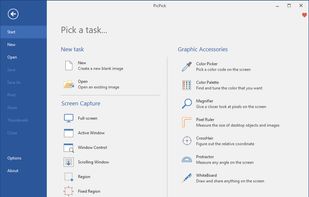
gcolor2 is not available for Windows but there are plenty of alternatives that runs on Windows with similar functionality. The best Windows alternative is PicPick. It's not free, so if you're looking for a free alternative, you could try PicPick or Just Color Picker. If that doesn't suit you, our users have ranked more than 50 alternatives to gcolor2 and many of them are available for Windows so hopefully you can find a suitable replacement. Other interesting Windows alternatives to gcolor2 are Instant Eyedropper, Pixie, Colorpicker Desktop App and Free Color Picker.

Copy a direct link to this comment to your clipboard
gcolor2 alternatives page was last updated

Alternatives list

  1. PicPick icon
     198 likes

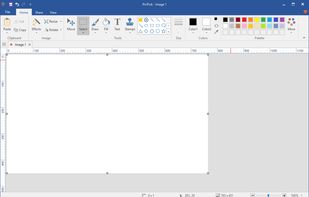
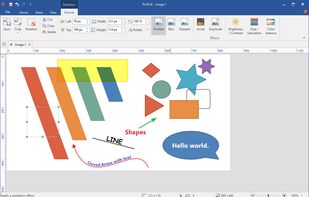
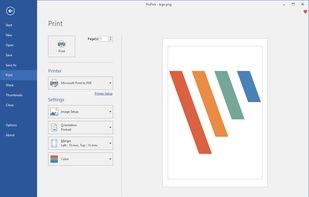
    Provides versatile screen capture options, built-in image annotation, color picking and palette, precision measurement tools like ruler and protractor, hotkey customization, clipboard and multi-format support, simple tray access, sharing, and portable operation.

    206 PicPick alternatives

    Cost / License

    • Free Personal
    • Proprietary

    Application type

    Platforms

    • Windows
    • PortableApps.com
    • Software as a Service (SaaS)
     
  2. Just Color Picker is a tool that captures the colour of any pixel in any screen area and displays its code in a variety of formats.

    Cost / License

    • Free
    • Proprietary

    Application type

    Platforms

    • Mac
    • Windows
     
  3. Magnifixer icon
     19 likes

    Magnifixer is a screen magnifier utility. You can place it anywhere on your screen, make it any size you want and select a zoom level. Magnifixer will always show the area of your screen where the mouse cursor resides.

    30 Magnifixer alternatives

    Cost / License

    • Free
    • Proprietary

    Application type

    Platforms

    • Windows
     
  4. Pixie icon
     43 likes

    Small utility that can show you coordinates and color of any pixel on your screen in different formats (HEX, HTML, RGB, CMYK, HSV). It's staying on top, displays a color of that pixel under mouse cursor, the program can magnify that zone w/ hotkey.

    Cost / License

    • Free
    • Proprietary

    Application type

    Platforms

    • Windows
     
  5. Colorpicker is a clean, easy to use, yet efficient desktop application for color management. Pick any color on your screen with Colorpicker.

    Cost / License

    Application type

    Platforms

    • Mac
    • Windows
    • Linux
    • Online
     
  6. Free Color Picker is a program that lets you capture the color of any pixel displayed on the screen. To capture a color, just move the cursor to the desired position and press the F4 key. The color below the cursor will be added to the color palette located in the right part of...

    Cost / License

    • Free
    • Open Source

    Application type

    Platforms

    • Windows
     
  7. A system-wide color picking utility for Windows to pick colors from any screen and copy it in a configurable format to your clipboard.

    Cost / License

    • Free
    • Open Source (MIT)

    Application type

    Platforms

    • Windows
     
  8. ColorMania icon
     15 likes

    ColorMania is a colorpicker for Windows. It's the perfect solution for previewing, identifying, testing and organizing color values. It can be a very difficult job to get your colors right for a unique or appealing design.

    93 ColorMania alternatives

    Cost / License

    • Free
    • Proprietary

    Application type

    Platforms

    • Windows
     
  9. Colora icon
     12 likes

    Color converter, screen color picker and color palettes for Windows. Colora is a small but powerful color converter and screen color picker for Windows.

    Cost / License

    Application type

    Platforms

    • Windows
     
  10. Color Cop icon
     22 likes

    Color Cop is a multi-purpose color picker for web designers and programmers. It features an eyedropper, magnifier, variable magnification levels, 3 by 3 and 5 by 5 average sampling, snap to websafe, color history, and a 42 color complementary palette.

    79 Color Cop alternatives

    Cost / License

    • Free
    • Proprietary

    Application type

    Alerts

    • Discontinued

    Platforms

    • Windows
     
  11. Pixel Pick icon
     6 likes

    Pixel Pick is a free color picker tool that pick the pixels color under your mouse cursor on the desktop and translates it into a number of different color formats such as RGB, CMYK, HSB, HEX or Web Color format. A free color picker for grabbing color under your mouse .

    Cost / License

    • Free
    • Proprietary

    Application type

    Platforms

    • Windows
     
12 of 40 gcolor2 alternatives