Free EaseUS ToDo BackUp Alternatives for Windows

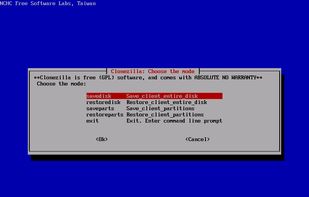
There are many alternatives to EaseUS ToDo BackUp for Windows if you are looking for a replacement. The best free Windows alternative is Clonezilla, which is also Open Source. If that doesn't suit you, our users have ranked more than 50 alternatives to EaseUS ToDo BackUp and many of them are free and available for Windows so hopefully you can find a suitable replacement. Other interesting free Windows alternatives to EaseUS ToDo BackUp are Duplicati, EaseUS Partition Master, SyncBack and AOMEI Backupper.

Copy a direct link to this comment to your clipboard
EaseUS ToDo BackUp alternatives page was last updated

Alternatives list

  1. Clonezilla icon
     529 likes

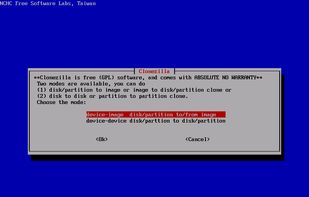
    Discover a free, open-source solution for disk imaging and cloning. Clonezilla ensures efficient large-scale deployment by simultaneously cloning over 40 computers. Supports unicasting and multicasting for versatile backup, based on Partclone and more for enhanced speed. Ideal for tech pros.

    74 Clonezilla alternatives

    Cost / License

    • Free
    • Open Source

    Application types

    Platforms

    • Mac
    • Windows
    • Linux
     
    |
    3
    Clonezilla vs EaseUS ToDo BackUp Comments
    Risei
    Negative
    2

    Rescuezilla requires booting the system from the image. It does not run on the existing OS.

    Guest
    Positive
    1

    The ability to use multiple different Linux utilities in a separate boot device can make for perfect disk backups and restores. Many options for resizing exist if restoring to a different drive. Compression is also available for the backups. Open source software on top of all that.

    Guest
    Positive
    -3

    Open Source, does everything that EaseUS Todo Backup does. Have used it in a regular basis to image 100s of PCs at the same time, and use it today to clone disks and make full-disk backups.

    • Clonezilla is Free and Open SourceEaseUS ToDo BackUp is Freemium and Proprietary
  2. Duplicati icon
     356 likes

    Duplicati stores encrypted, incremental backups with AES-256 encryption and GPG, compatible with Windows, Linux, MacOS. Supports cloud services like OneDrive, Google Drive, and includes a built-in scheduler, auto-updater. Run backups through a web interface or command line.

    148 Duplicati alternatives

    Cost / License

    • Freemium
    • Open Source

    Application types

    Platforms

    • Mac
    • Windows
    • Linux
    • BSD
     
  3. EaseUS Partition Master offers powerful partitioning features like resize, copy, and format, with additional recovery and disk optimization tools. The intuitive interface supports advanced needs, with the Home Edition supporting basic tasks and the Pro Edition offering deeper dynamic disk handling for businesses.

    47 EaseUS Partition Master alternatives

    Cost / License

    • Freemium
    • Proprietary

    Platforms

    • Windows
     
  4. SyncBack icon
     144 likes

    SyncBack allows for backing up, synchronizing, and restoring files on Windows. It offers a free version, SyncBackSE and Pro for more features, including local networks and cloud backups. Ideal for individuals and large organizations like hospitals, ensuring data protection and recovery.

    107 SyncBack alternatives

    Cost / License

    • Freemium
    • Proprietary

    Application types

    Platforms

    • Mac
    • Windows
    • Linux
    • Android
    • Android Tablet
     
    |
    1
    SyncBack vs EaseUS ToDo BackUp Comments
    Maxim Kamalov
    Positive
    0

    Both can backup folders and other stuff. But SyncBack can also sync... back (ooooh, so this is why is has its name).

    • SyncBack is Freemium and ProprietaryEaseUS ToDo BackUp is also Freemium and Proprietary
    • SyncBack is a File Sync EaseUS ToDo BackUp is a Disk Cloning Tool
    • SyncBack is Decentralized and Privacy focusedEaseUS ToDo BackUp is not according to our users
  5. AOMEI Backupper icon
     76 likes

    Protects operating systems, files, and disks on Windows PCs and Servers with full backup, cloning, and migration tools. Offers sync, encrypted backups, flexible restore to dissimilar hardware or partitions, scheduled and real-time backups, and space management features.

    43 AOMEI Backupper alternatives

    Cost / License

    • Freemium
    • Proprietary

    Application types

    Platforms

    • Windows
     
  6. A utility that can write a raw backup image of your hard drive to a removable device or vice versa.

    52 Win32 Disk Imager alternatives

    Cost / License

    • Free
    • Open Source

    Alerts

    • Discontinued

    Platforms

    • Windows
     
    |
    1
    Discontinued

    The latest version is from 2017.

    Win32 Disk Imager vs EaseUS ToDo BackUp Comments
    Guest
    Negative
    0

    Win32 Disk Imager is great for making images out of USB sticks or writing disk images said USB sticks, but not for general disk cloning or complex backups, which is exactly what Clonezilla and Todo Backup both do.

    • Win32 Disk Imager is Free and Open SourceEaseUS ToDo BackUp is Freemium and Proprietary
    • Win32 Disk Imager is a Create bootable USB EaseUS ToDo BackUp is a Disk Cloning Tool
    • Win32 Disk Imager is LightweightEaseUS ToDo BackUp is not according to our users
  7. Hasleo Backup Suite Free is a free Windows backup and restore software, which embeds backup, restore and cloning features, it is designed for Windows operating system users and can be used on both Windows PCs and Servers.

    19 Hasleo Backup Suite alternatives

    Cost / License

    • Free
    • Proprietary

    Application types

    Platforms

    • Windows
     
  8. Paragon Backup & Recovery is an advanced backup and recovery software. You may backup files, volumes and disks entirely or pick one at a time. Select the OS partition, and you get all the necessary boot partitions. If your operating system crashes, you can recover it easily.

    59 Paragon Backup & Recovery alternatives

    Cost / License

    • Free Personal
    • Proprietary

    Platforms

    • Windows
    • Mac
     
  9. Comprehensive backup solution for Windows, securing OS, files, disks through automatic backups, sync methods. Restore data on new hardware; manage disk space efficiently.

    Cost / License

    • Freemium
    • Proprietary

    Application types

    Platforms

    • Windows
     
  10. Ashampoo Backup Pro offers you all possible storage options: Back up single files or entire partitions to local drives or online storage providers. Backup software couldn't get any easier. Just plug in a storage device and you're good to go!

    22 Ashampoo Backup Pro alternatives

    Cost / License

    • Freemium
    • Proprietary

    Platforms

    • Windows
     
  11. VaultSync icon
     3 likes

    Open-source backup and snapshot manager focused on reliable backups to NAS, network storage and local drives with clear visibility into changes and backup history.

    Cost / License

    • Free
    • Open Source (MIT)

    Platforms

    • Windows
    • Linux
    • Mac
     
12 of 31 EaseUS ToDo BackUp alternatives