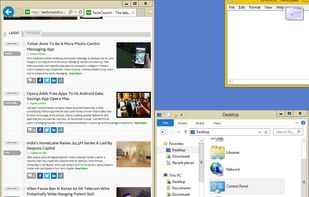
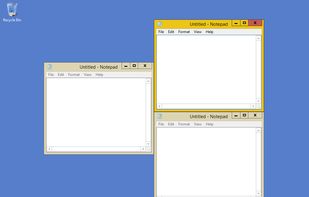
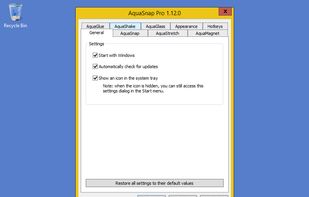
Optimize your desktop environment with this management tool offering window docking, snapping, multi-monitor support, and keyboard shortcuts for enhanced productivity.


BetterTouchTool is not available for Windows but there are plenty of alternatives that runs on Windows with similar functionality. The best Windows alternative is AutoHotkey, which is both free and Open Source. If that doesn't suit you, our users have ranked more than 50 alternatives to BetterTouchTool and many of them are available for Windows so hopefully you can find a suitable replacement. Other interesting Windows alternatives to BetterTouchTool are AquaSnap, GestureSign, Preme for Windows and KeyTik.
Optimize your desktop environment with this management tool offering window docking, snapping, multi-monitor support, and keyboard shortcuts for enhanced productivity.


AutoHotkey is an open-source Windows scripting language for task automation. It crafts scripts for operations like form filling and auto-clicking, initially starting with hotkeys yet evolving into a complete script language. Converts scripts to executables, works offline, and supports debugging.


This is a program for Windows only, not for Mac

Create and assign touchscreen gestures to actions on a windows tablet. Use to interact in a more user friendly way with the user interface e.g. mimic keyboard shortcuts, employ functions of the operating system ect.

Preme is a free software for Windows which lets you add cool desktop features and enhances the desktop functionality.


KeyTik is an open-source, all-in-one automation tool that lets you automate nearly anything at your will. Initially, KeyTik focused on being a keyboard remapper with profiles, allowing you to activate or deactivate each remap individually.


DeskScope is an easy-to-use window manager with the Desk View™, an interactive view of the desktop. DeskScope creates mini-windows on the Desk View to represent desktop applications and Windows 11 apps.

Divvy is an entirely new way of managing your workspace. It allows you to quickly and efficiently "divvy up" your screen into exact portions.


Stepwise is an automation tool for Windows. It's easy to learn, safe to use, and there's no coding required.


KDE Mover-Sizer is a lightweight program enabling KDE-style alt-click moving and resizing for Windows XP, 7, 2000, 2003, Windows Server, and Vista.


Cross-platform desktop automation app with macro recording, playback, scheduling, text expansion, CLI tools, and Wayland/X11-aware Linux support.


GridMove - A window management tool that can quickly arrange your windows into desktop grids.

Trackpad++ is a free driver with a control panel for windows running on a mac through bootcamp, it enables you to use OS X like trackpad gestures like tapping, pinching in, pinching out, swiping etc, visit the official website to get more information like system requirements and...
AltDrag allows you to move and resize windows much easier. When you have it running you can simply hold down the Alt key and then use your mouse to drag any window, and it doesn't matter where in the window you click.


It's too complicated and not as user friendly