FlashBack Alternatives for Mac

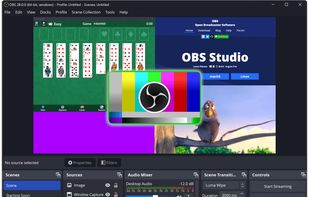
FlashBack is not available for Mac but there are plenty of alternatives that runs on macOS with similar functionality. The best Mac alternative is OBS Studio, which is both free and Open Source. If that doesn't suit you, our users have ranked more than 100 alternatives to FlashBack and many of them are available for Mac so hopefully you can find a suitable replacement. Other interesting Mac alternatives to FlashBack are Camtasia, Cap, ActivePresenter and ScreenFlow.

Copy a direct link to this comment to your clipboard
FlashBack alternatives page was last updated

Alternatives list

  1. OBS Studio icon
     1292 likes
    Copy a direct link to this comment to your clipboard

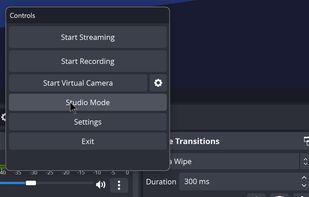
    A robust cross-platform application offering seamless screen recording and live-streaming capabilities across Mac, Windows, and Linux. It supports advanced features like H264 encoding, multiple scenes, customizable themes, and direct streaming to platforms like Twitch and YouTube.

    195 OBS Studio alternatives

    Cost / License

    • Free
    • Open Source

    Platforms

    • Mac
    • Windows
    • Linux
    • BSD
    • Snapcraft
    • Flathub
    • PortableApps.com
    • Steam
    • FreeBSD
     
    |
    1
    Comments about OBS Studio as an Alternative to FlashBack
    Guest
    Negative
    4

    designed more for broadcasting than screen recording

    Review by a new / low-activity user.
    FlashBack Icon
    OBS Studio icon
    • OBS Studio is the most popular Windows, Mac & Linux alternative to FlashBack.

    • OBS Studio is the most popular Open Source & free alternative to FlashBack.

    • OBS Studio is Free and Open SourceFlashBack is Freemium and Proprietary
    • OBS Studio is Customizable, Privacy focused and LightweightFlashBack is not according to our users
  2. Camtasia icon
     233 likes
    Copy a direct link to this comment to your clipboard

    This all-in-one solution offers screen and webcam recording, video editing, and chroma key features, producing stunning HD-quality content easily shareable on platforms like YouTube and Screencast.com. Designed for training, presentations, and more, it supports H.264 format and compact file sizes.

    268 Camtasia alternatives

    Cost / License

    • Freemium (Subscription)
    • Proprietary

    Platforms

    • Mac
    • Windows
    • Online
     
    |
    6
    • Almost everyone thinks Camtasia is a great FlashBack alternative.

    • Camtasia is the most popular Web-based alternative to FlashBack.

    • Camtasia is Freemium and ProprietaryFlashBack is also Freemium and Proprietary
  3. Cap icon
     23 likes
    Copy a direct link to this comment to your clipboard

    Cap is an open source alternative to Loom. It's a video messaging tool that allows you to record, edit and share videos in seconds.

    86 Cap alternatives

    Cost / License

    • Freemium (Pay once or Subscription)
    • Open Source

    Platforms

    • Mac
    • Windows
     
  4. ActivePresenter icon
     61 likes
    Copy a direct link to this comment to your clipboard

    Authoring solution enabling interactive eLearning course creation, flexible project layouts, advanced screen recording, video editing tools with annotation, timeline-based adjustments, and export to video, image, HTML5, SCORM, xAPI, office, or PDF formats.

    115 ActivePresenter alternatives

    Cost / License

    • Free Personal
    • Proprietary

    Platforms

    • Mac
    • Windows
     
  5. ScreenFlow icon
     70 likes
    Copy a direct link to this comment to your clipboard

    Capture the contents of your entire desktop at the same time as your video camera, microphone and computer's audio. Sophisticated editing tools allow you to create incredible screencasts in no time.

    Cost / License

    • Pay once
    • Proprietary

    Platforms

    • Mac
     
    • ScreenFlow is the most popular commercial alternative to FlashBack.

    • ScreenFlow is Paid and ProprietaryFlashBack is Freemium and Proprietary
    • ScreenFlow is LightweightFlashBack is not according to our users
  6. QuickRecorder icon
     8 likes
    Copy a direct link to this comment to your clipboard

    A lightweight and high-performance screen recorder for macOS.

    Cost / License

    • Free
    • Open Source

    Application type

    Platforms

    • Mac
     
  7. Loom icon
     32 likes
    Copy a direct link to this comment to your clipboard

    Easy and free screen recorder for Mac, Windows, and Chromebooks. Record your camera and screen with audio directly from your Chrome browser and share the video with your team, friends, and family.

    214 Loom alternatives

    Cost / License

    • Freemium (Subscription)
    • Proprietary

    Platforms

    • Mac
    • Windows
    • Online
    • iPhone
    • Google Chrome
    • Android
    • Android Tablet
     
    • Loom is the most popular Android, iPhone & Android Tablet alternative to FlashBack.

    • Loom is Freemium and ProprietaryFlashBack is also Freemium and Proprietary
  8. flowy icon
     5 likes
    Copy a direct link to this comment to your clipboard

    macOS tool for detailed screen recording, timeline-based video editing, customizable cursor animations, camera and audio capture, background editing, and easy sharing. Suitable for tutorials, presentations, or social media creation with a user-friendly workflow.

    62 flowy alternatives

    Cost / License

    • Pay once
    • Proprietary

    Platforms

    • Mac
     
  9. Screenify icon
     1 like
    Copy a direct link to this comment to your clipboard

    Screenify is free software for capturing screen, audio, webcam, and mic on Windows and Mac. It supports 4K at 60fps, offers noise reduction, and customizable settings. Export in various formats including MP4, GIF, MOV. No limits on duration or ads, ensuring professional videos.

    29 Screenify alternatives

    Cost / License

    • Free
    • Proprietary

    Platforms

    • Mac
    • Windows
     
  10. Copy a direct link to this comment to your clipboard

    Record full screen or customized areas with webcam options. Annotate in real time, highlight cursor actions, and record both system and voiceover audio. Ideal for creating instructional videos, webinars, and presentations. Free for personal use, compatible with PCs.

    155 Movavi Screen Recorder alternatives

    Cost / License

    • Pay once or Subscription
    • Proprietary

    Platforms

    • Mac
    • Windows
     
  11. Copy a direct link to this comment to your clipboard

    Versatile screen recording and live streaming tool, broadcasting to over 30 platforms. Enhances streams with stickers, templates, and images. Supports lectures and games, offers scheduled recording and operates as a virtual camera for meetings.

    Cost / License

    • Subscription
    • Proprietary

    Application type

    Platforms

    • Mac
    • Windows
     
12 of 42 FlashBack alternatives