


Notepad++
Notepad++ is a free, open-source code editor supporting several languages, offering features like syntax highlighting, plugin support, dark mode, portability, privacy, and efficient resource usage, making it highly customizable and suitable for various programming needs.

Cost / License
- Free
- Open Source
Application types
 EU
EUPlatforms
- Windows
- PortableApps.com


Features
Properties
- Lightweight
- Configurable
- Distraction-free
- Privacy focused
- No AI
- Support for Themes
Features
- Code Formatting
- Portable
- Tabbed interface
- Search and Replace
- Extensible by Plugins/Extensions
- Text formatting
- Multiple Open Tabs
- Color coding
- Multiple languages
- Support for Javascript
- Built-in themes
- Ad-free
- Syntax Highlighting
- Auto-saving
- Dark Mode
- Debugging
- No Tracking
- Full-Text Search
- No Coding Required
- Autocompletion
- Add-ons
- Works Offline
- Plugin manager
- No registration required
- Spell Checking
- Integrated Search
- Support for MarkDown
- Live Preview
- Support for scripting
- Block edit
- Support for regular expressions
- Side-by-Side Comparison
- Column edit mode
- Regex substitution
- Native GUI
- Macro Recording
- Built-in editor
- URL Encoding
- Support for FTP
- Support for Unicode
Notepad++ News & Activities
Recent News
- Maoholguin published news article about Nextpad++
 Notepad++ original creator calls out recently released macOS fork as an unauthorized fake
We recently reported on the launch of what appeared to be a Notepad++ fork for macOS, after the app...
- Maoholguin published news article about Nextpad++
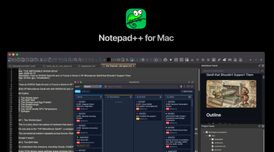 Notepad++ finally comes to Mac through a native fork with plugin support after 23 years
A new Notepad++ fork for Mac has been released, bringing the long-running Windows code editor to ma...
- Fla published news article about Notepad++
 Notepad++ v8.9.2 enforces double signature checks for update security
Notepad++ v8.9.2 strengthens its update security by implementing double signature and certificate v...


Recent activities
- Viciousse liked Notepad++
 POX added Notepad++ as alternative to Vim Classic
 CuteOleg added Notepad++ as alternative to FeatherPad
- rogasamp rated Notepad++
- Nydus0 liked Notepad++


Featured in Lists

This is going to be a list of the free tools/software that can be used mostly in any field. it's based on websites …

Master List of all Apps and Software I use for both work and personal life.

This guide is designed for anyone looking to take greater control of their digital life by choosing open-source …
What is Notepad++?
Notepad++ is a free source code editor and Notepad replacement that supports several languages.
Based on the powerful editing component Scintilla, Notepad++ is written in C++ and uses pure Win32 API and STL which ensures a higher execution speed and smaller program size. By optimizing as many routines as possible without losing user friendliness, Notepad++ is trying to reduce the world carbon dioxide emissions. When using less CPU power, the PC can throttle down and reduce power consumption, resulting in a greener environment.
Notepad++ information
Developed by
 Don Ho
 Licensing
Open Source and Free product.Written in
Rating
Average rating of 4Alternatives
260 alternatives listedNews
8 news article related to Notepad++Supported Languages
- English
- Japanese
- Chinese
- Korean
- Spanish
- French
- Irish
- Serbian
- Ukrainian
- Russian
- Polish
- Hebrew
- Portuguese
- Romanian
- Arabic
- Indonesian
- Estonian
- Finnish
- Kazakh
- Mongolian
- Belarusian
- Thai
- Georgian
- Latvian
- Albanian
- Italian
- Turkish
- German
- Danish
- Slovak
- Uighur, Uyghur
- Dutch

AlternativeTo Categories
Development, Office & ProductivityGitHub repository
- 28,270 Stars
- 5,241 Forks
- 2904 Open Issues
- Updated


Comments and Reviews
I use Notepad++, and have for years. I love it! Couldn't ask for a better text editor with some advanced features beyond the standard Notepad.
I used to love this editor until the developer decided to push his personal/political stance through one of his updates. I won't go into details, but I found it unacceptable. Believe what you want, but don't shove it down my throat!
Notepad++ is my go-to tool for both coding and general text work. I’m probably way too old school. I’ve tried other code editors several times - e,g, the much praised Visual Studio Code - but I always came back to Notepad++. I’ve been using it for 20 years. There are also plenty of plugins, but to be honest, I don’t use any of them.
One of the only Windows-exclusive applications that is actually good.
This is my go to text editor, I have been using it for many years. What I like - Tons of features, Customizable. The spellcheck plugin also works great.
Simple, get the job done. Quite ugly.
A really nice application for code editing. I use it all the time with my HTML projects and gets the job done perfectly!