The Best Open Source Microsoft Word AlternativesTop Word Processors and other similar apps like Microsoft Word

The best open source alternative to Microsoft Word is LibreOffice - Writer. If that doesn't suit you, our users have ranked more than 100 alternatives to Microsoft Word and many of them is open source so hopefully you can find a suitable replacement. Other interesting open source alternatives to Microsoft Word are ONLYOFFICE, Apache OpenOffice Writer, AbiWord and Proton Docs.

filter to find the best alternatives

Microsoft Word alternatives are mainly Word Processors, but if you're looking for Note-taking Tools or Team Collaboration Tools you can filter on that. Other popular filters include Open Source, Mac, Free, Windows, Android, Linux and Windows + Free. You can also filter by region, for example EU-based alternatives if you prefer software developed in the European Union. These are just examples - use the filter bar below to find more specific alternatives to Microsoft Word.
Copy a direct link to this comment to your clipboard
Microsoft Word alternatives page was last updated

Alternatives list

  1. An open-source word processor offering rich formatting and style options across multiple platforms. Versatile enough to handle both simple memos and complex book publishing, it supports a wide range of document formats and Microsoft Word compatibility, enhancing productivity through templates and layouts.

    97 LibreOffice - Writer alternatives

    Cost / License

    Application type

    Platforms

    • Mac
    • Windows
    • Linux
    • BSD
    • Flathub
    • PortableApps.com
    • ReactOS
     
    |
    64
    LibreOffice - Writer vs Microsoft Word Comments
    Top Positive Comment
    KuboFHromoslav
    41

    If you do not need some very rare functions, LibreOffice Writer is better and totally libre alternative!

    1victor
    Positive
    0

    Very good alternative to Word

    AbyssalThatRatesAppsTho
    Positive
    0

    I like Libreoffice Writer as an alternative to Microsoft word because it is free and open source, doesn't want to scrap your documents to train LLMs or hover up your private information. There are no privacy concerns with LibreOffice in general, which makes it better to use in my opinion over Microsoft's offerings which are polluted with LLM filth.

    While they might be some compatibility issues with opening odt in Microsoft Word...So keep that in mind. However, because I use it for personal use this is never an issue.

    3 of 64 comments
    • LibreOffice - Writer is Free and Open SourceMicrosoft Word is Paid and Proprietary
    • LibreOffice - Writer is Privacy focused and LightweightMicrosoft Word is not according to our users
  2. ONLYOFFICE icon
     702 likes

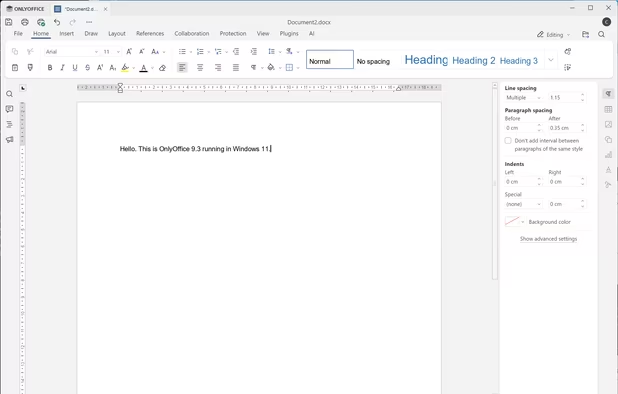
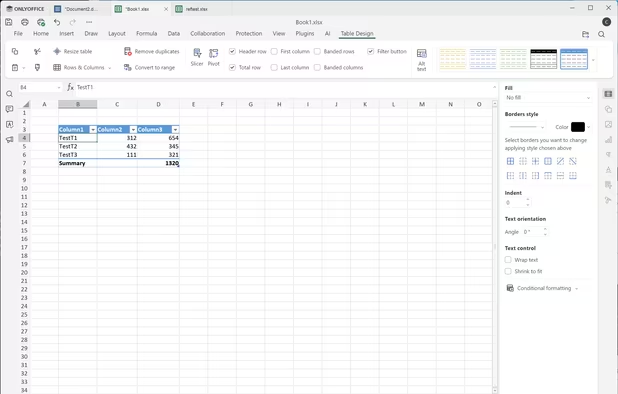
    Open-source office suite offering document, spreadsheet, and presentation editing with co-editing modes, plugin support, integration across 30+ services, robust security, and mobile access. Available in Community, Enterprise, and Home Server editions for versatile deployment.

    91 ONLYOFFICE alternatives

    Cost / License

    Application types

    Platforms

    • Mac
    • Windows
    • Linux
    • Online
    • Android
    • iPhone
    • Android Tablet
    • HUAWEI AppGallery
    • iPad
    • Self-Hosted
    • AppImageHub
    • Snapcraft
    • Flathub
    • Samsung Galaxy Store
    • Software as a Service (SaaS)
    • Flatpak
    • Cloudron
     
    |
    7
    ONLYOFFICE vs Microsoft Word Comments
    Top Positive Comment
    2

    Very easy to use and has a familiar interface. It’s much better than LibreOffice for both compatibility with MS Word and its overall design.

    RemovedUser
    Positive
    3

    Best alternative I tested to date.

    Guest
    Positive
    3

    If you know how to use Word, the you will feel at home using OnlyOffice. It's feature rich, supports all platforms and even the browser. You can collaborate with other people, and OnlyOffcie respects your privacy.

    Compared to something like Apple Pages, it's not the cleanest and smoothest experience, but if you have used MS Word og LibreOffice, it won't be a problem.

    3 of 7 comments
    • ONLYOFFICE is Free and Open SourceMicrosoft Word is Paid and Proprietary
    • ONLYOFFICE is Privacy focusedMicrosoft Word is not according to our users
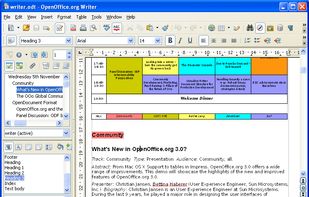
  3. Writer, part of the Apache OpenOffice suite, is an open-source word processor. It supports the ISO standard Open Document Format (ODF) for data interchange as its default file format, as well as Microsoft Office 97-2003 formats, Microsoft Office 2007...

    76 Apache OpenOffice Writer alternatives

    Cost / License

    Application type

    Alerts

    • Discontinued

    Platforms

    • Mac
    • Windows
    • Linux
    • BSD
     
    |
    11
    Discontinued

    Last major release was in 2014

    Apache OpenOffice Writer vs Microsoft Word Comments
    Top Positive Comment
    Kelson V
    3

    Way out of date compared to LibreOffice.

    Top Negative Comment
    AndreStork
    2

    It's pretty much the worst Office alternative available. It has a bad UI and I shouldn't talk about compatibility with .docx files

    KuboFHromoslav
    Positive
    3

    OpenOffice was a great alternative to Word about 15 years ago. Since then, the development has staled and the new leader is LibreOffice. Unless you are using OpenOffice for some obscure, niche reason (compatibility with very old stuff, "not fixing what is not broken", etc) a much better alternative to MS Word would be LibreOffice.

    3 of 11 comments
    • Apache OpenOffice Writer is Free and Open SourceMicrosoft Word is Paid and Proprietary
    • Apache OpenOffice Writer is Privacy focusedMicrosoft Word is not according to our users
  4. AbiWord icon
     262 likes

    AbiWord is a free word processing program similar to Microsoft® Word. It is suitable for a wide variety of word processing tasks.

    70 AbiWord alternatives

    Cost / License

    Application type

    Platforms

    • Linux
    • BSD
    • Flathub
    • PortableApps.com
    • Haiku
    • GTK
    • Flatpak
    • AmigaOS
     
    |
    3
    AbiWord vs Microsoft Word Comments
    thomaszoschke
    Positive
    2

    It does what the user wants. It's a full featured text processor. It is affordable. It is not coded like a swamp.

    kaylinTechAU
    Positive
    8

    AbiWord is a great simple word processor. However it doesn't have many advanced features. Just a simple text document. And it's free!

    Daria Nowacka
    Positive
    1

    Very simple to use, I really like it

    • AbiWord is Free and Open SourceMicrosoft Word is Paid and Proprietary
    • AbiWord is LightweightMicrosoft Word is not according to our users
  5. Proton Docs icon
     46 likes

    Docs in Proton Drive are end-to-end encrypted so your work stays safe from data breaches, online surveillance, and can never be fed into AI models.

    Cost / License

    Platforms

    • Online
     
  6. La Suite Docs icon
     25 likes

    Collaborative platform for real-time note-taking, documentation, and wikis, featuring offline editing, granular permissions, AI-assisted writing, multiple export formats, user-friendly formatting, scalable team support, customizable templates, and open-source licensing.

    109 La Suite Docs alternatives

    Cost / License

    • Free
    • Open Source (MIT)

    Platforms

    • Online
    • Self-Hosted
    • Docker
    • Python
    • Typescript
    • JavaScript
    • React
    • Django
    • Next.js
     
  7. Fileverse  icon
     26 likes

    Trustless collaboration platform with decentralized file-sharing, collaborative editing, cheap storage, privacy controls, onchain team and community access, website and blog publishing, open workflows, customizable spaces, and alternatives to traditional online suites.

    135 Fileverse alternatives

    Cost / License

    • Free
    • Open Source

    Platforms

    • Online
     
  8. A smooth yet powerful writing experience for devoted authors. With only wanted features and native workflow it runs faster than all your previous apps combined.

    67 Story Architect (STARC) alternatives

    Cost / License

    Platforms

    • Mac
    • Windows
    • Linux
    • Chrome OS
    • AppImageHub
    • Flathub
    • Android
     
  9. Quoll Writer icon
     43 likes

    Focus on your words not the interface. Quoll Writer is a writing application that helps you focus on your words. Clean and uncluttered. Feature rich. Features are where you would expect them to be.

    104 Quoll Writer alternatives

    Cost / License

    Platforms

    • Windows
    • Mac
    • Linux
     
  10. Daino Notes icon
     10 likes

    Offers fast, distraction-free note-taking via a high-performance editor with real-time Markdown, local-first storage, image support, Kanban task boards, intuitive drag-and-drop, keyboard shortcuts, configurable themes, fast search, and cross-platform access.

    Cost / License

    • Freemium
    • Open Source

    Platforms

    • Mac
    • Windows
    • Linux
     
  11. Calligra Words icon
     26 likes

    Words is an intuitive word processor and desktop publisher application. With it, you can create informative and attractive documents with pleasure and ease.

    30 Calligra Words alternatives

    Cost / License

    Application type

    Platforms

    • Linux
    • KDE Plasma
    • Flathub
    • Flatpak
     
    |
    1
    Calligra Words vs Microsoft Word Comments
    Centaro
    Negative
    0

    It lacks many features and the UI is a mess.

    • Calligra Words is Free and Open SourceMicrosoft Word is Paid and Proprietary
12 of 28 Microsoft Word alternatives